How to reset an Ipad with Mosyle

How to Reset an iPad in Mosyle
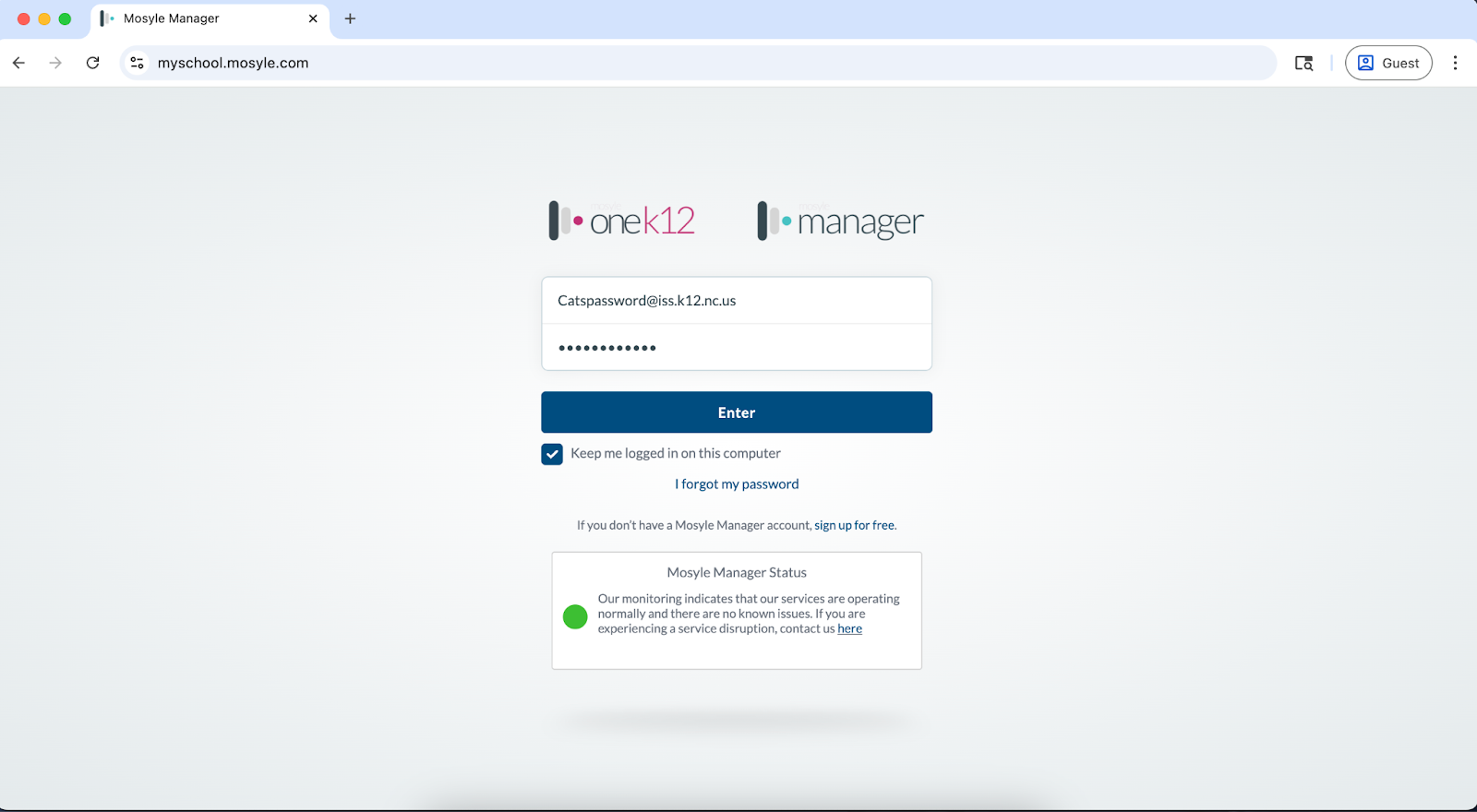

Navigate to myschool.mosyle.com and enter in your login information

AD_4nXetu6H67AsWor0ewau7174Rpss4p4OuNuVn_U7Bxrh926fCBGAOOKgU6bd5hNLIIY586g4yC9pM9YCQ0iTR7-lQb3JLWKcefrrkkzazncCLEb3Pmp07kRKfDB6lNozOMykQrYQCDw?key=R05ZDdi71stdInuQwyk7ng


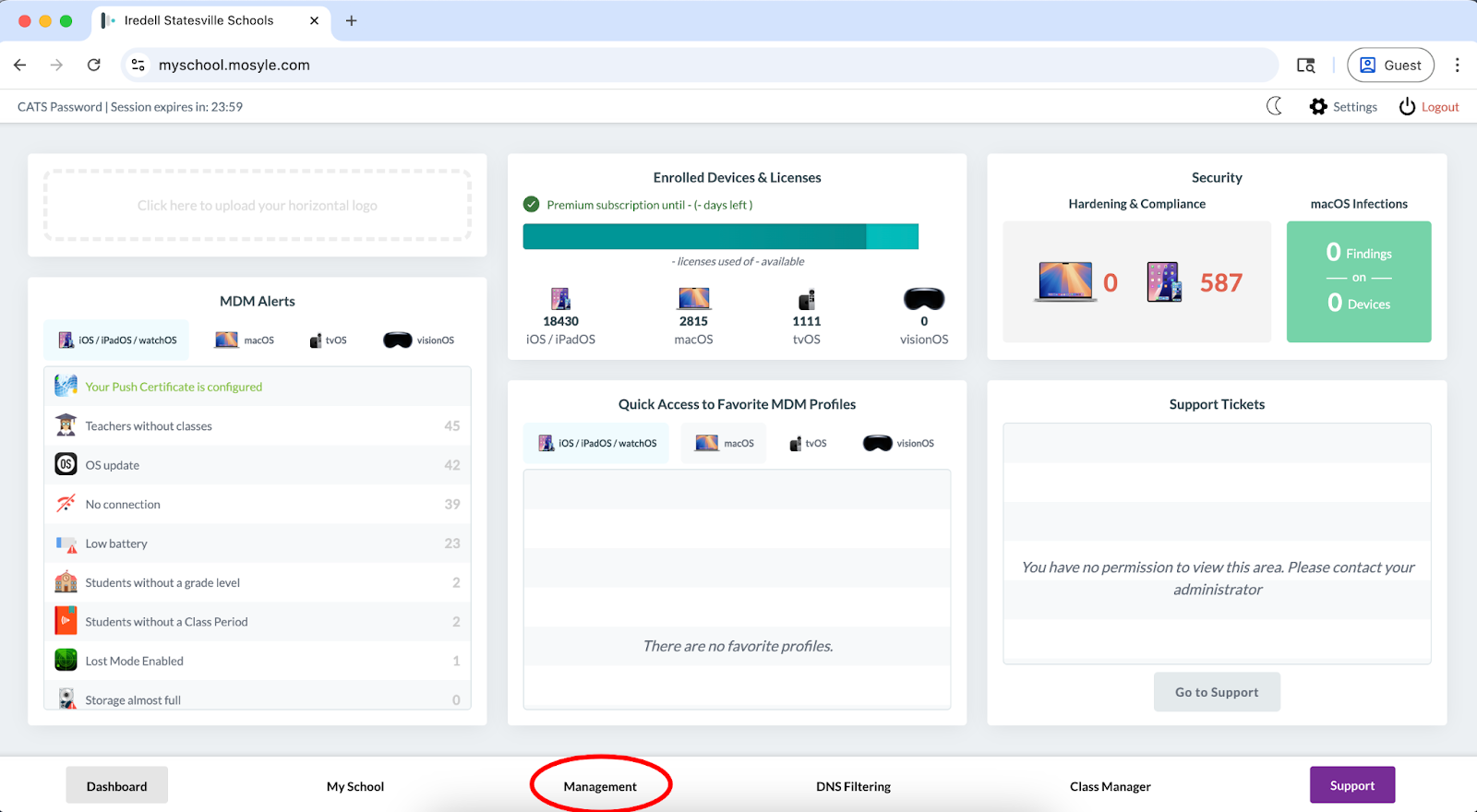
Select the management tab at the bottom
AD_4nXfdRf7L8Pzrf3fP9y_9cVxEhxI0iT8zLxLDUB-9GFoMBZ3lKj6zZ3stwGZ4OqANXzTWQyypZo9OIRQ4tWAhDCE75UX_Y8ni61a_jeW-GJ4EFyFZWVdyLbTfmOdTnDWebsVorFDh?key=R05ZDdi71stdInuQwyk7ng


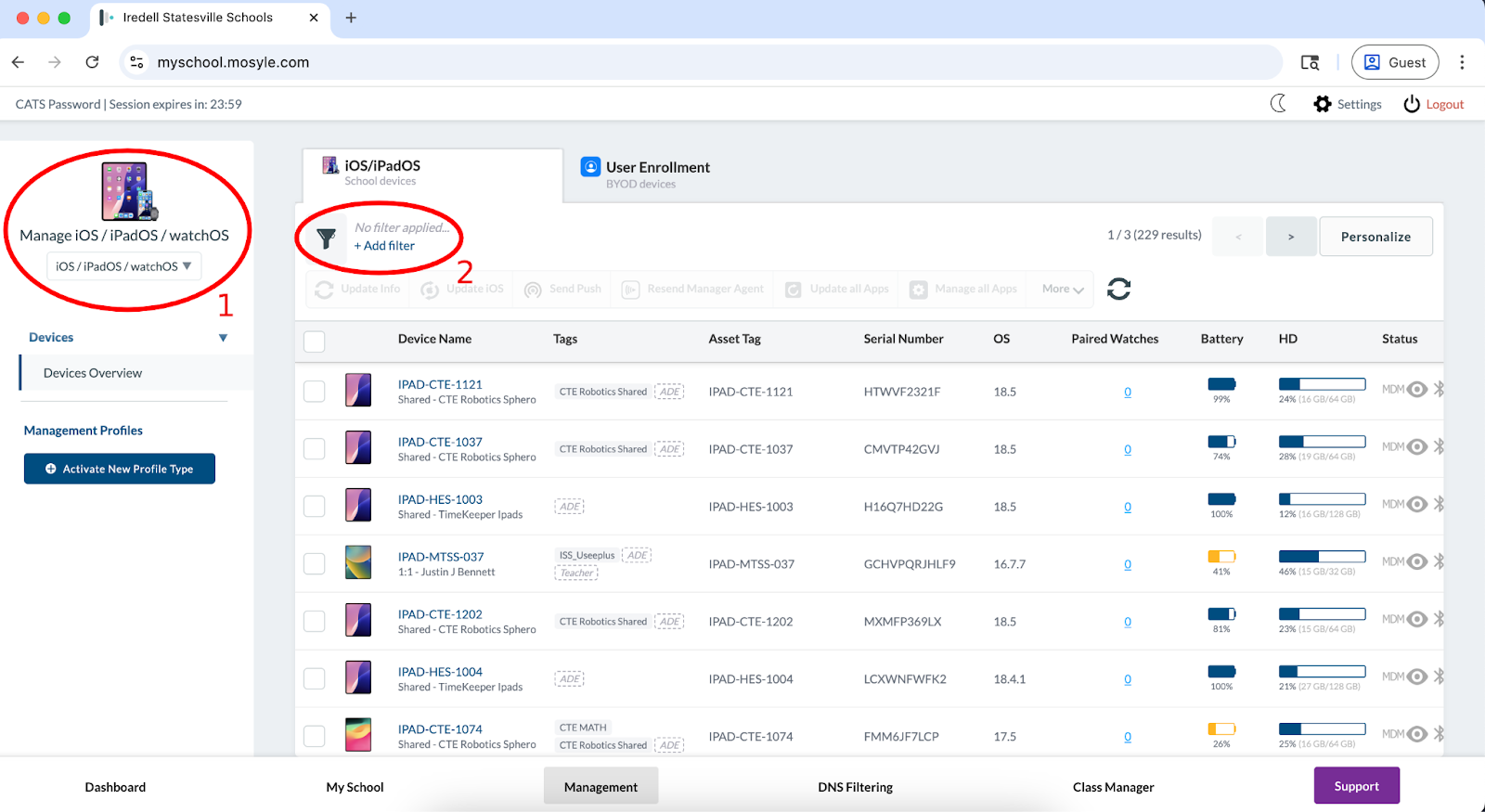
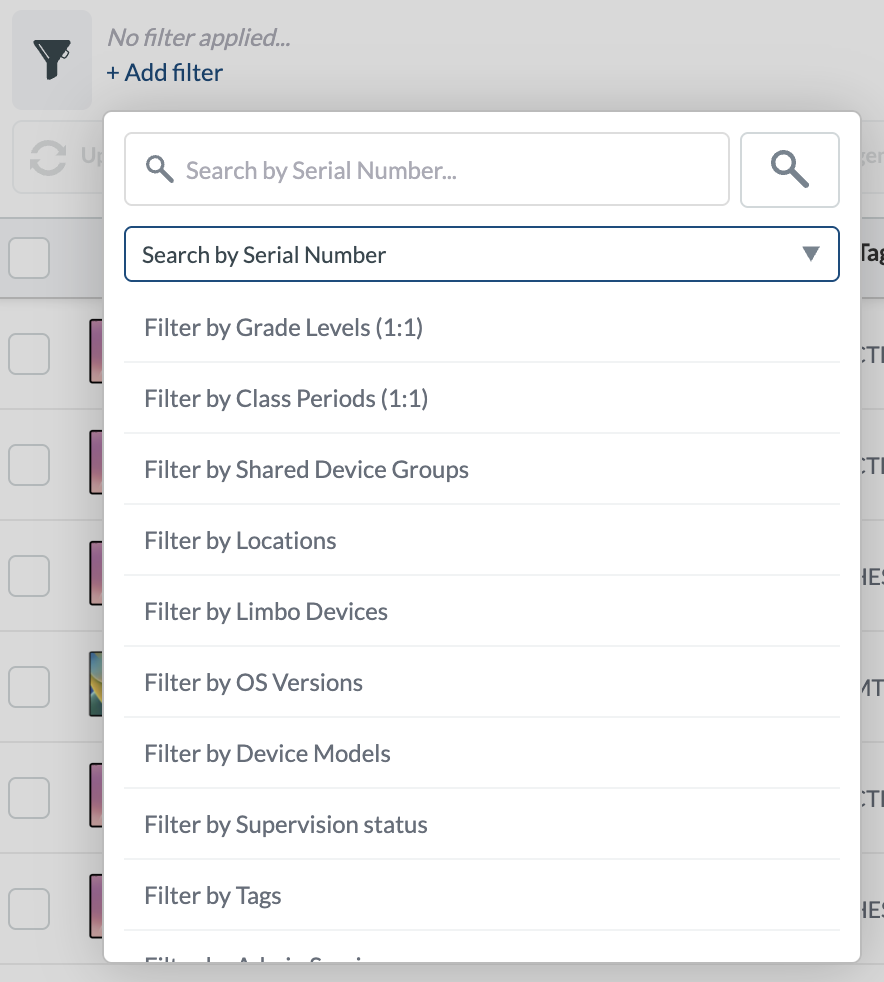
Once on the management screen, make sure you are within the iPad OS section using the drop down on the upper left corner. You may then select the “add filter” button to start searching for the iPad you want to reset
AD_4nXf6DiraW6AC3ckWCGFgw0A8mGYoV58udgrnqUGIM9N2xuYI8IlHw9QNHIlm2n5YjS6avKG5lC6GayDd8btdbMst95GbwnEXFTxgvn-OTOZUgZQk5-QFBq7Uvmy4ETfmBm_WNHxBdg?key=R05ZDdi71stdInuQwyk7ng


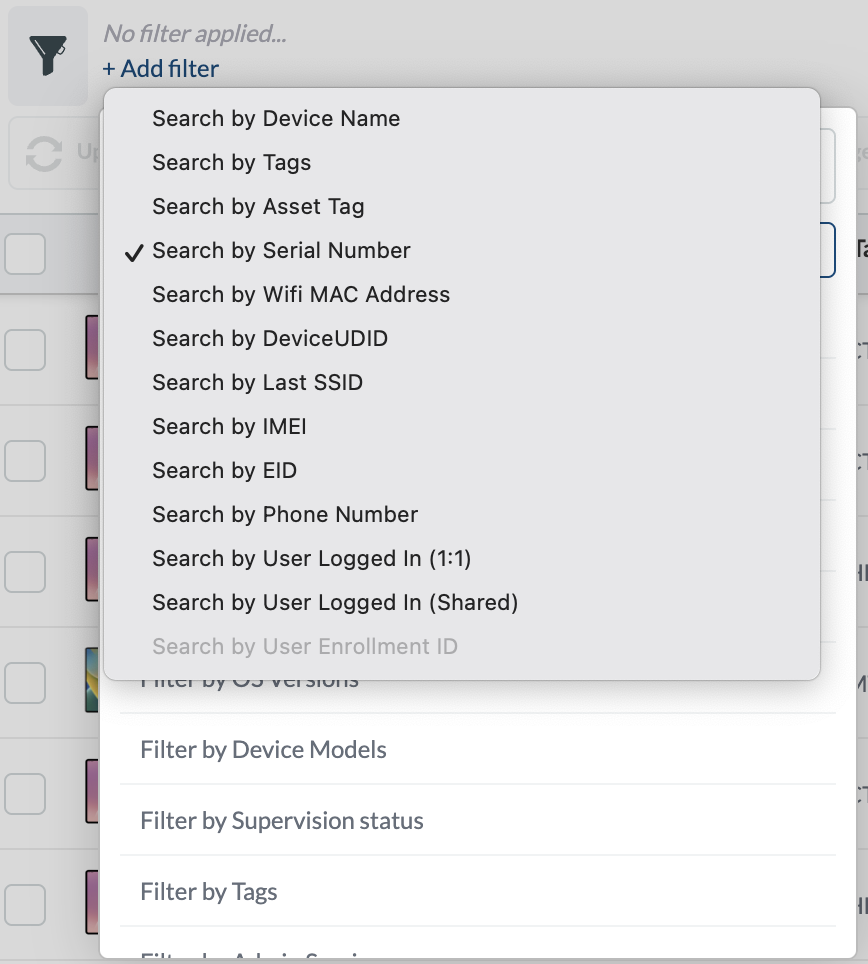
You can select whether to search by asset tag, serial number, or the current user logged in to Manager by using the drop down box underneath the search criteria box.
AD_4nXeD0lpgCfDCP-Q1QAR7Xi5zLBYVaEolDhm9CsbPakHRu9AccsryeNRK0yNMFH2FgpuJ7J7AVOY0E7BuVxX0AM_3qhKT-0GsW9rLMupnj-EKF2TpS-Ld6X132oqC0IH5ZYPI-SxNPA?key=R05ZDdi71stdInuQwyk7ngAD_4nXeOjxngkDlulOMDznpGTMZIkErZn7tsUeYO-sVCGRyIybJHTRmpiePKJO27C6ZvE4PaGc6mLvnvC17ol_uS1xDJ6R-0zT68u2RdfrmZU8xOo5KlYipR1m8rXNl866t1rpeCU4nAMg?key=R05ZDdi71stdInuQwyk7ng

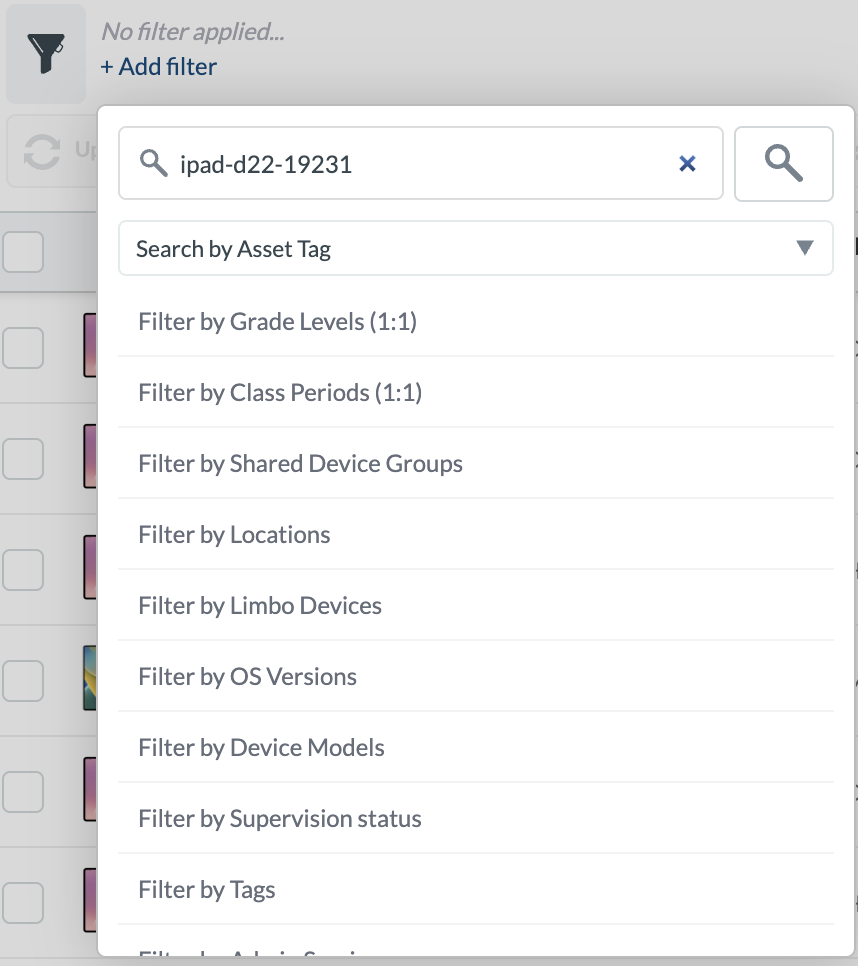
After selecting your preferred search option and entering the information of the device into the box, you may hit the search button
AD_4nXeVTVONje9Kf85UcTd2mLiqgti_OKx3DNVePlmyzy5-enlbIuf3ZVCgZo0hjr0zsUJ0I96syC0tiaommICDxuiaEpQ2tGv5mfxZiyV7tQavdHxfQYnqQZ6uXFL8eJLWgUWTne_I?key=R05ZDdi71stdInuQwyk7ng


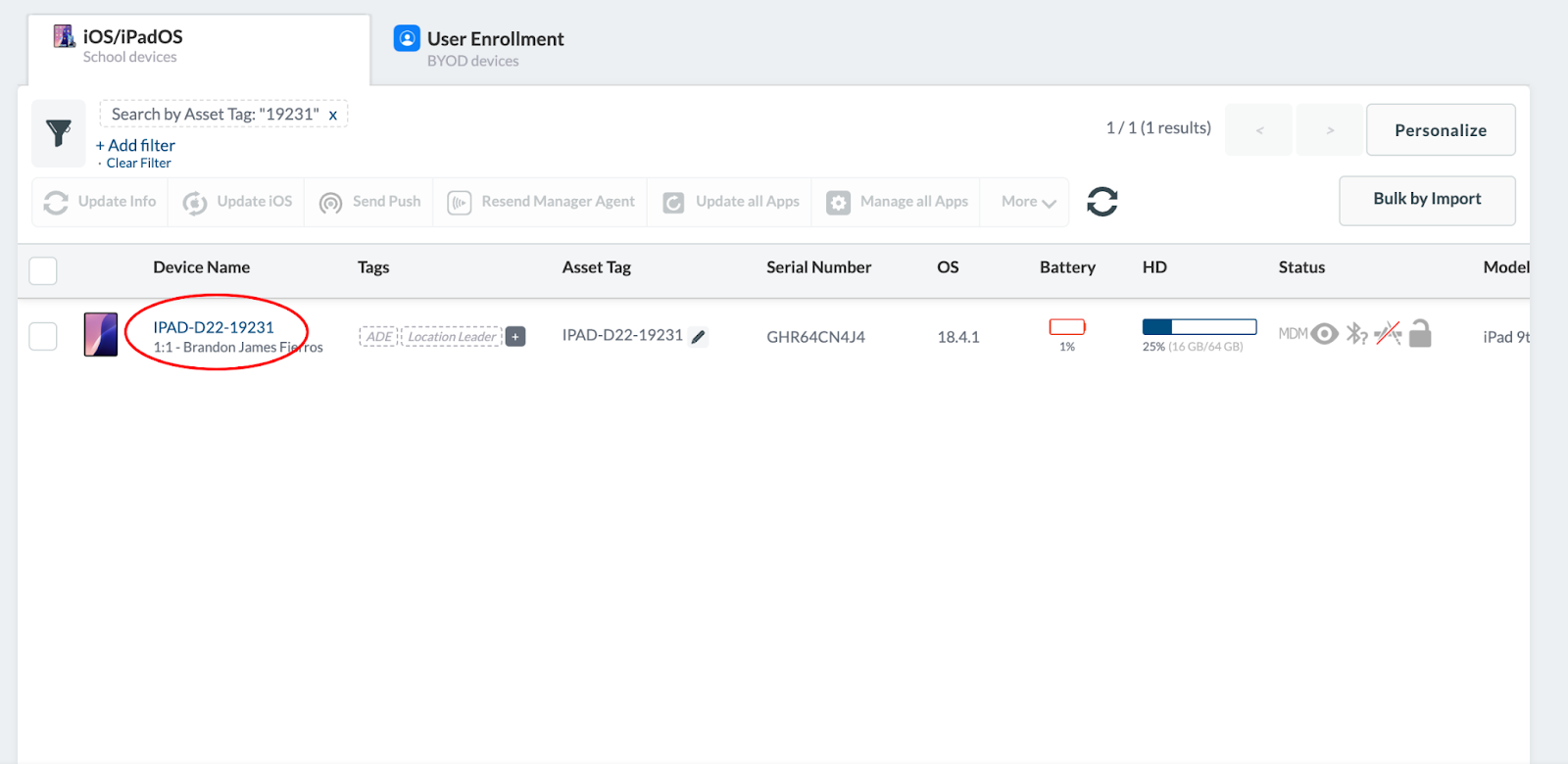
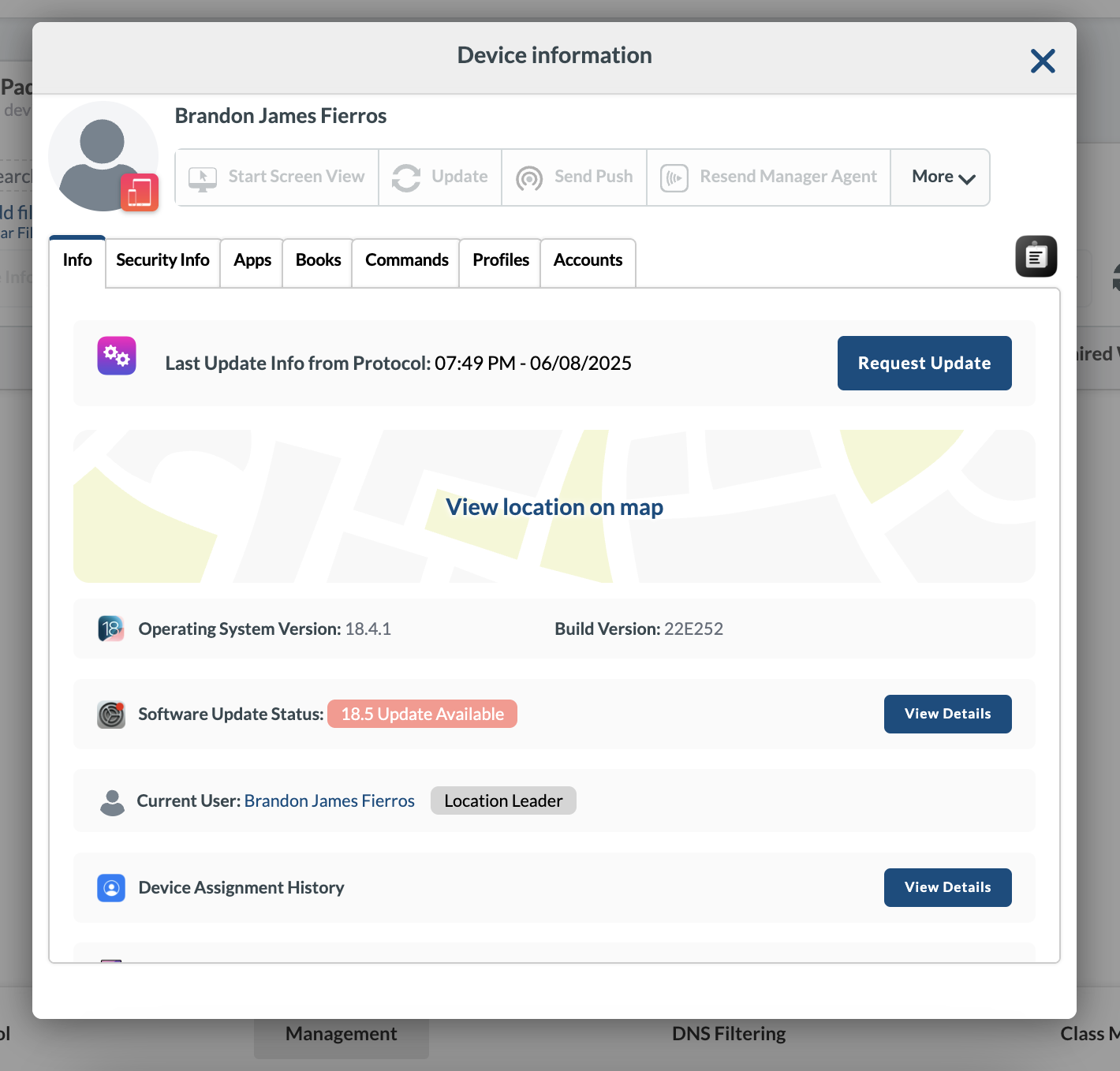
Your selected device should then show up. Click on the blue device name text of the device you wish to reset. This will bring up the Device information and menu boxAD_4nXegnHWUjxQxCmzBwCyc5vwsqmmOW2HFJBSuNqmrK2PgCN12VFZFphKTe5Neim8gwr1a_fC1YXJYVqp3Dz74CNifGv7AttZzuMtN5SyNeBjNxswSuSYt4OS6p2qUBlFYlsmysqSHzw?key=R05ZDdi71stdInuQwyk7ng

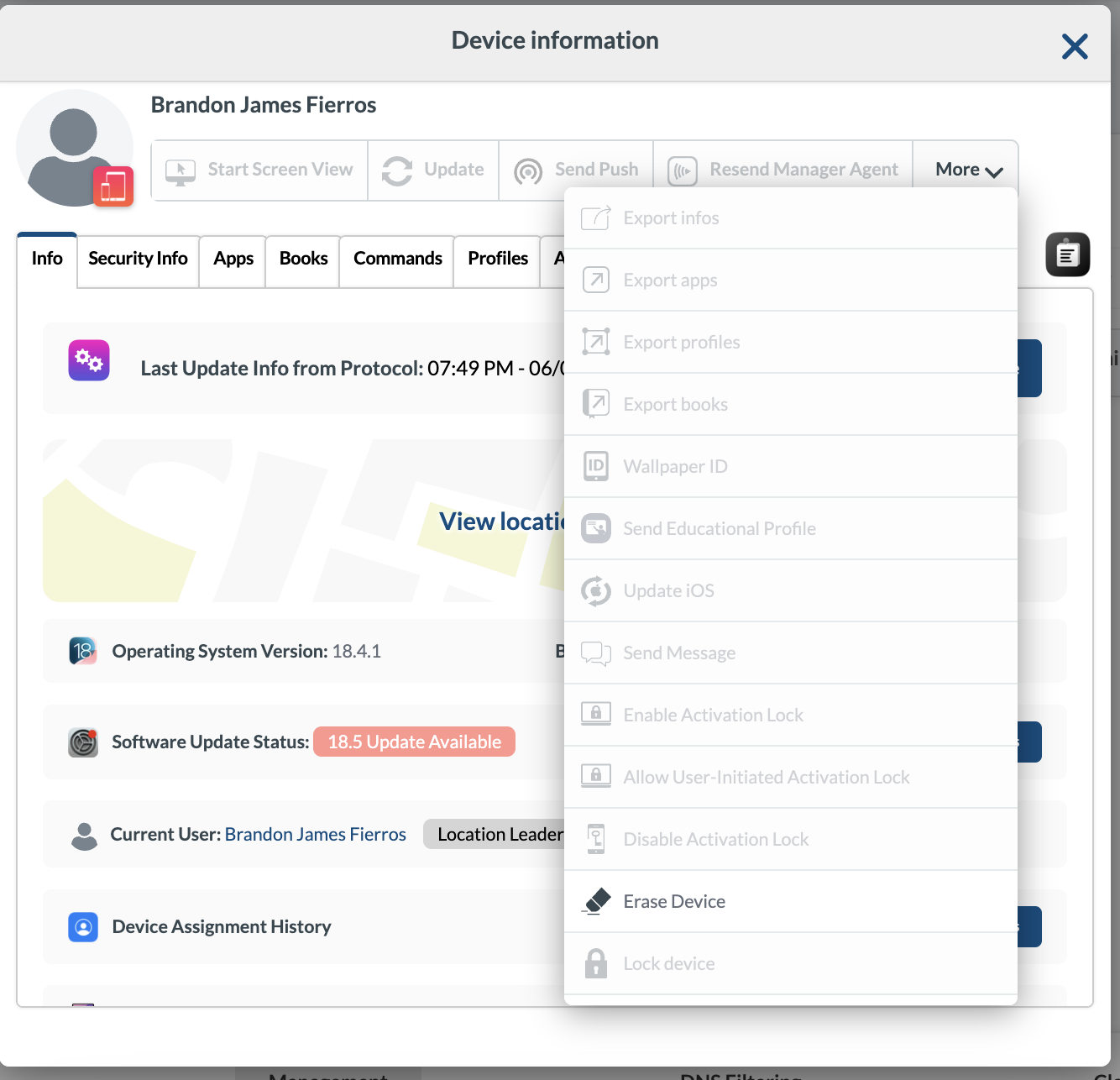
From here you can see all sorts of information about the device including last check in time and the last known location. Select the “more” option in the top right corner for a drop down menu
AD_4nXcSfpFsN8kKCGyXZ7cjsLKYwAvLsHvG2R5UYy6UaRdRpIqbJbudTwJWblIveJXhxEm4-W6N1y9vKdQqFju0rPj2oDGCU-SYPG0-jgMPecwMOSvxpJVKXzfkajnEK00UBJiwu_mx?key=R05ZDdi71stdInuQwyk7ng

To reset your selected iPad, Select the erase option from the drop down menu
AD_4nXcwt_KMVe33wx-gqOmfDHfaKjnp45nKCFyPOxM-Tl31xqTlbk1xJn2Eah_E1M-wG4rtH-ZqoK1G7IBYU4w0IyH0KEwLNXhxuW-iy85pAcYKhAdHRIfhs6kMHMWnEJmNNac9MnoITA?key=R05ZDdi71stdInuQwyk7ng

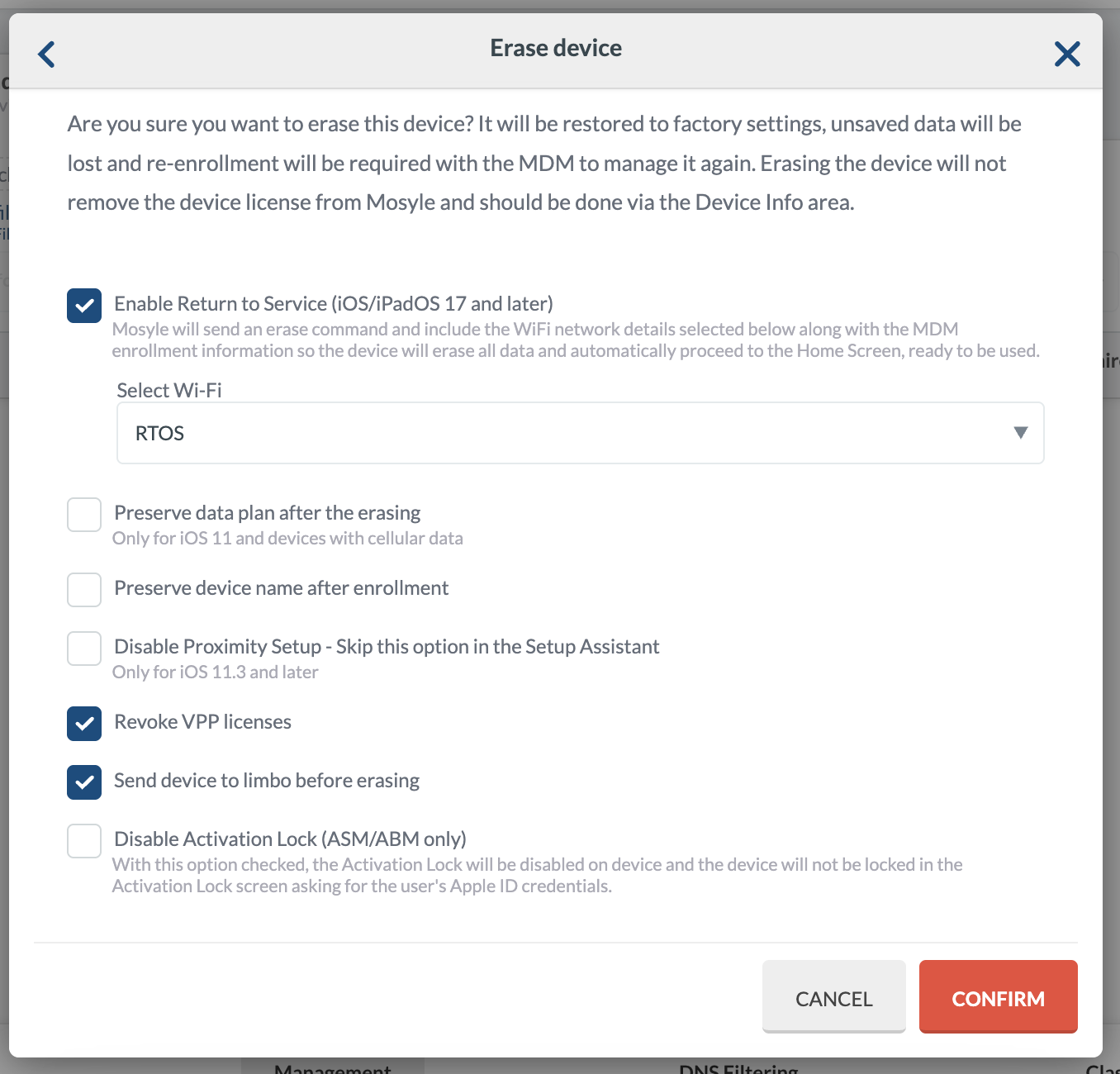
When the following screen comes up, don’t hit confirm yet. 

THERE ARE SOME THINGS YOU HAVE TO CHANGE FIRST

Uncheck: “Preserve data plan after erasing”

And

Check: “Revoke VPP Licenses”
Check: “Send device to limbo before erasing”

AD_4nXdNYoR6Y4SGo9Zi1y1QQOuyMm6nEHcvkTIHwLTulgrKfFgMADPBQMmq2etP97E0OGbFvGF056scDbUW-AonJOrIB5jIxu6aZTCte5SCy7JocwJM86cAjqCygibVNi5rbw23WrSDqg?key=R05ZDdi71stdInuQwyk7ng

DOUBLE CHECK THESE THINGS BEFORE HITTING CONFIRM 
AD_4nXfYJB_U_h6jB7I_H73-GnD9zDyy1Kwh_rTXuB8f6_1ASCiXStH6WvES5kPE-uW1-NUTQ8PPkNzqjur37Ah1YPqSflB_c1jJXzEzNEGFN6d6K_BzX3oHvpvwz3nBQbdyn7SM8CDQUQ?key=R05ZDdi71stdInuQwyk7ng


If everything is correct, you can press Confirm and the reset command will be sent to the specified iPad. 


If you need to reset another device, you can click the ‘X’ on the filter to search for a new one.