How to Scan with Papercut
|
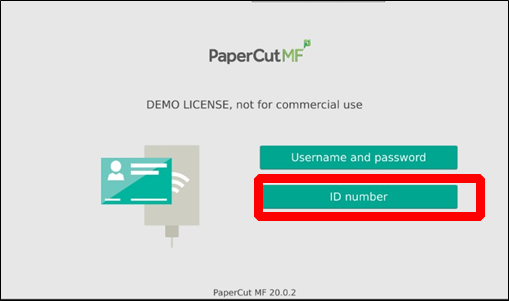
Step 1: Enter your PaperCut ID# (Timekeeper #) |
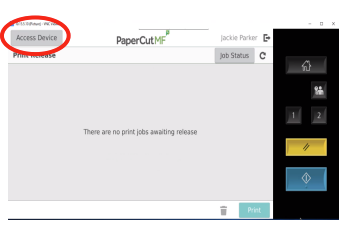
Step 2: Click Access Device. |
|
|
|
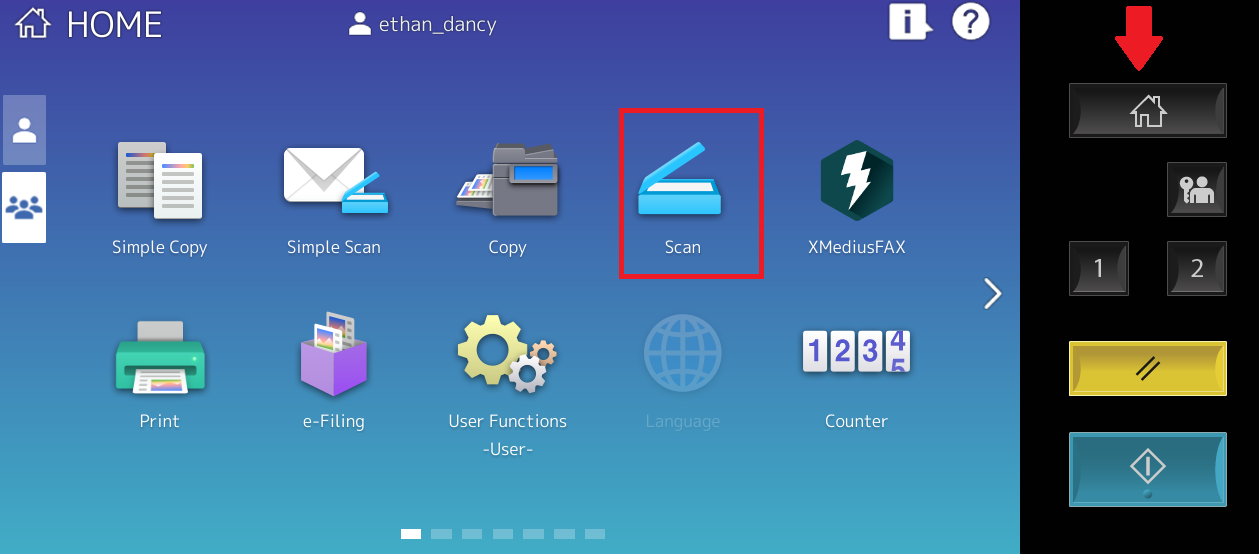
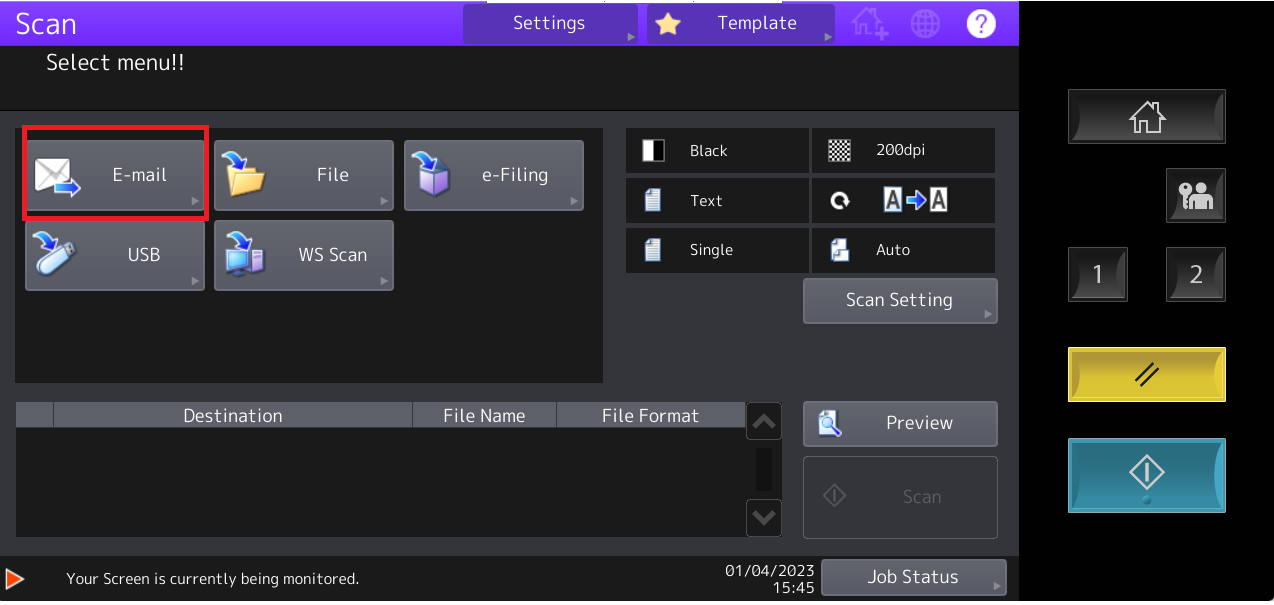
| Step 3. Click the Home button on the Right and then find scan | Step 4. Click Email |
 |
 |
|
Step 1: Enter your PaperCut ID# (Timekeeper #) |
Step 2: Click Access Device. |
|
|
|
| Step 3. Click the Home button on the Right and then find scan | Step 4. Click Email |
|
|