# iPad Reset- return to service steps

<span style="font-size: 13pt; font-family: Arial,sans-serif; color: #333333; background-color: transparent; font-weight: 400; font-style: normal; font-variant: normal; text-decoration: none; vertical-align: baseline; white-space: pre-wrap;"> </span>

<span style="font-size: 13pt; font-family: Arial,sans-serif; color: #333333; background-color: transparent; font-weight: 400; font-style: normal; font-variant: normal; text-decoration: none; vertical-align: baseline; white-space: pre-wrap;"> </span><span style="font-size: 13pt; font-family: Arial,sans-serif; color: #333333; background-color: transparent; font-weight: bold; font-style: normal; font-variant: normal; text-decoration: underline; -webkit-text-decoration-skip: none; text-decoration-skip-ink: none; vertical-align: baseline; white-space: pre-wrap;">iPads return to service steps</span>

[<span style="font-size: 13pt; font-family: Arial,sans-serif; color: #333333; background-color: transparent; font-weight: bold; font-style: normal; font-variant: normal; text-decoration: none; vertical-align: baseline; white-space: pre-wrap;">Make sure you scan asset on the ipad/macbook reset spreadsheet</span>](https://docs.google.com/spreadsheets/d/1DcKYCHG35kvkixCaUe6RGRqQH_8v7dRNTqi3WigBDns/edit?gid=0#gid=0)

<span style="font-size: 13pt; font-family: Arial,sans-serif; color: #333333; background-color: transparent; font-weight: 400; font-style: normal; font-variant: normal; text-decoration: none; vertical-align: baseline; white-space: pre-wrap;"> </span>

<span style="font-size: 13pt; font-family: Arial,sans-serif; color: #333333; background-color: transparent; font-weight: 400; font-style: normal; font-variant: normal; text-decoration: none; vertical-align: baseline; white-space: pre-wrap;">1.</span><span style="font-size: 6.999999999999999pt; font-family: 'Times New Roman',serif; color: #333333; background-color: transparent; font-weight: 400; font-style: normal; font-variant: normal; text-decoration: none; vertical-align: baseline; white-space: pre-wrap;"> </span><span style="font-size: 13pt; font-family: Arial,sans-serif; color: #333333; background-color: transparent; font-weight: 400; font-style: normal; font-variant: normal; text-decoration: none; vertical-align: baseline; white-space: pre-wrap;">Go to Settings</span><span style="font-size: 13pt; font-family: Arial,sans-serif; color: #333333; background-color: transparent; font-weight: 400; font-style: normal; font-variant: normal; text-decoration: none; vertical-align: baseline; white-space: pre-wrap;"><span style="border: none; display: inline-block; overflow: hidden; width: 31px; height: 31px;">![](https://lh7-rt.googleusercontent.com/docsz/AD_4nXdgs74oQAkYk3NBnOvO_BP1sQWXdHzPDhpYfKXyqCMBQ6Pj0t5HiVyFPDQ3W8cgx62dYVqLNUJduhImc4AJcnDiq_FA6Ldt5lHA5rpCIGu8zHFhp6Tuq-ejNcluqP8Pc8pGZq0R?key=FPwyom-izmNL5EblcqnbRome)</span></span><span style="font-size: 13pt; font-family: Arial,sans-serif; color: #333333; background-color: transparent; font-weight: 400; font-style: normal; font-variant: normal; text-decoration: none; vertical-align: baseline; white-space: pre-wrap;"> &gt; Privacy &amp; Security &gt; Location Services</span>

<span style="font-size: 13pt; font-family: Arial,sans-serif; color: #333333; background-color: transparent; font-weight: 400; font-style: normal; font-variant: normal; text-decoration: none; vertical-align: baseline; white-space: pre-wrap;">2.</span><span style="font-size: 6.999999999999999pt; font-family: 'Times New Roman',serif; color: #333333; background-color: transparent; font-weight: 400; font-style: normal; font-variant: normal; text-decoration: none; vertical-align: baseline; white-space: pre-wrap;"> </span><span style="font-size: 13pt; font-family: Arial,sans-serif; color: #333333; background-color: transparent; font-weight: 400; font-style: normal; font-variant: normal; text-decoration: none; vertical-align: baseline; white-space: pre-wrap;">Toggle on Location Services</span>

<span style="font-size: 13pt; font-family: Arial,sans-serif; color: #333333; background-color: transparent; font-weight: 400; font-style: normal; font-variant: normal; text-decoration: none; vertical-align: baseline; white-space: pre-wrap;"><span style="border: none; display: inline-block; overflow: hidden; width: 363px; height: 373px;">![](https://lh7-rt.googleusercontent.com/docsz/AD_4nXcSFbTEJTDCQE_z9CUrFWfkfcfyoZnQgc3KLAazDk60qLAySXGM3mNZXg9csCuWXS3HhgeNuVXh9I7RmbhJi59EDM4y_JodiBBnIN3meBTMOqxc8cWAbujxe4xy568U2ZT279L7pg?key=FPwyom-izmNL5EblcqnbRome)</span></span>

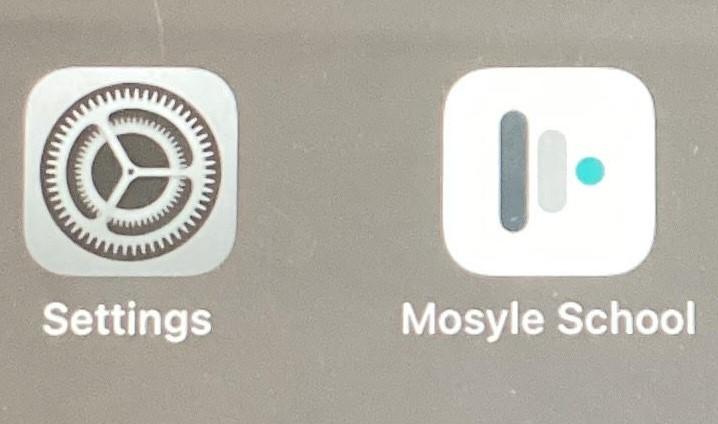
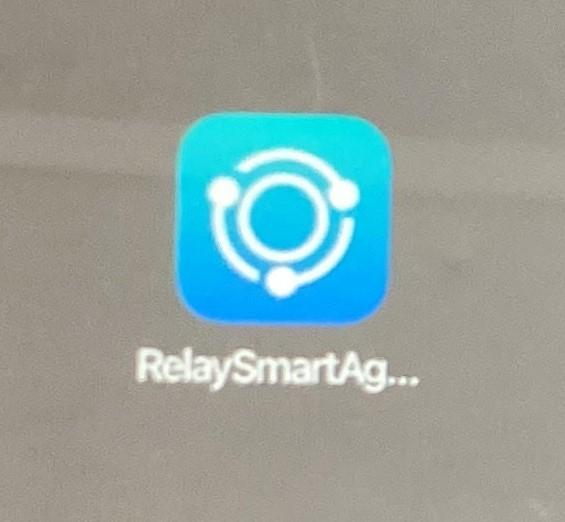
<span style="font-size: 11pt; font-family: Arial,sans-serif; color: #000000; background-color: transparent; font-weight: 400; font-style: normal; font-variant: normal; text-decoration: none; vertical-align: baseline; white-space: pre-wrap;">3. Make sure the following Apps are showing on home screen:</span>

<span style="font-size: 11pt; font-family: Arial,sans-serif; color: #000000; background-color: transparent; font-weight: 400; font-style: normal; font-variant: normal; text-decoration: none; vertical-align: baseline; white-space: pre-wrap;"><span style="border: none; display: inline-block; overflow: hidden; width: 211px; height: 195px;">![](https://lh7-rt.googleusercontent.com/docsz/AD_4nXeaIdYUembLJ3wUSRwNJO9p9jOMhEofzRVrd63VugENqodXIrjMkAPfYLaAKLPY4zTifP-dKO4yKGOJWt7S9eE47BXi9NDIaTfPai0ZWPSKbadwViCUMjYI5qFLzurz-BAa0o6w8g?key=FPwyom-izmNL5EblcqnbRome)</span></span><span style="font-size: 11pt; font-family: Arial,sans-serif; color: #000000; background-color: transparent; font-weight: 400; font-style: normal; font-variant: normal; text-decoration: none; vertical-align: baseline; white-space: pre-wrap;"><span style="border: none; display: inline-block; overflow: hidden; width: 328px; height: 193px;">![](https://lh7-rt.googleusercontent.com/docsz/AD_4nXfJEDe4ECkTkdhD-wksR-2EhMrn3x7LmDozX9kjMsS58qH3uH64zjFMMhUlsyb5LZ8xIgvqqo7U4LBeXfGxtUfqQzX5Y_E2BfisTbHHlXR8ZJjFn1XRTFmoFiEaKD6uqMX2n_fl6Q?key=FPwyom-izmNL5EblcqnbRome)</span></span>

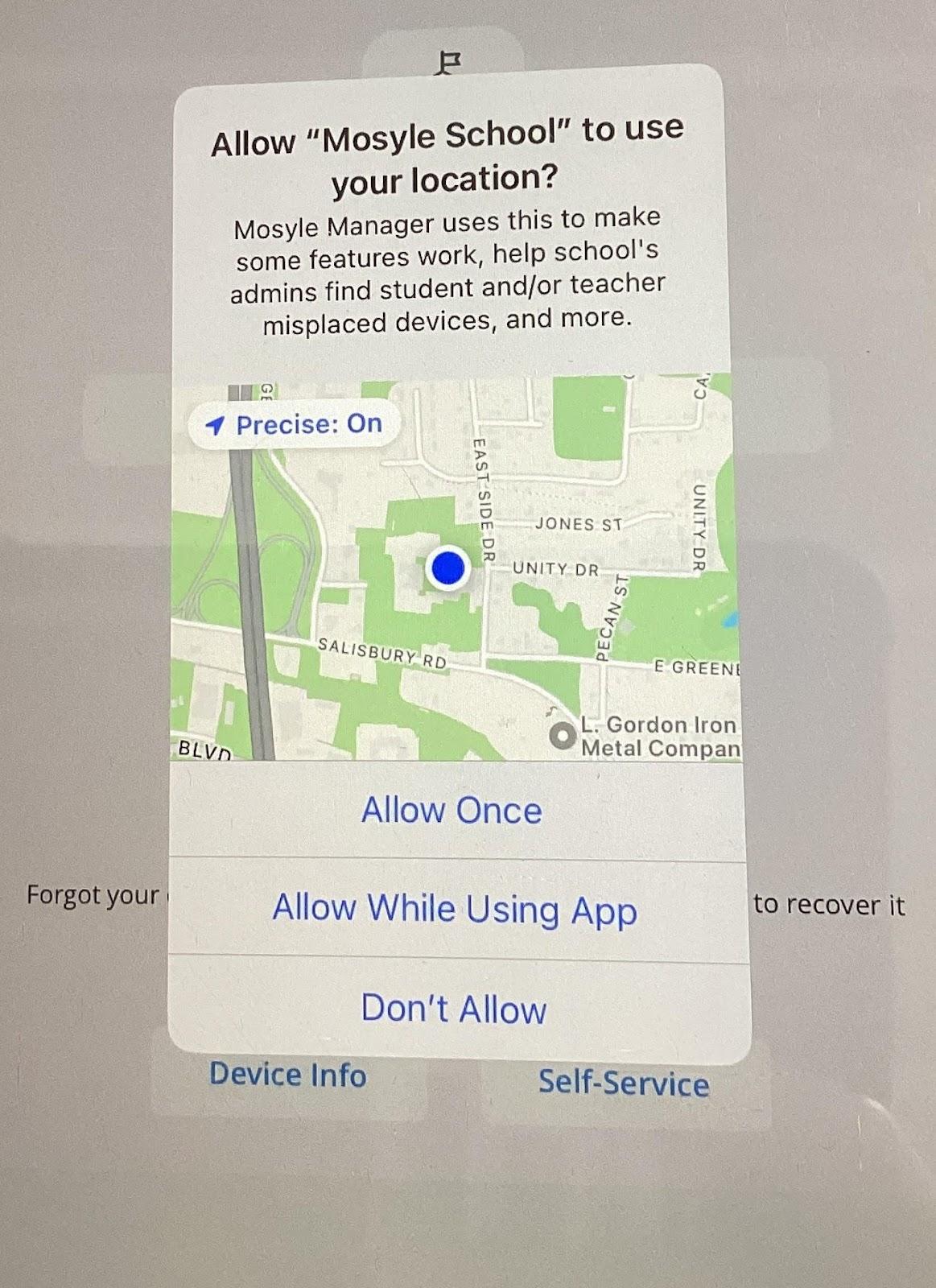
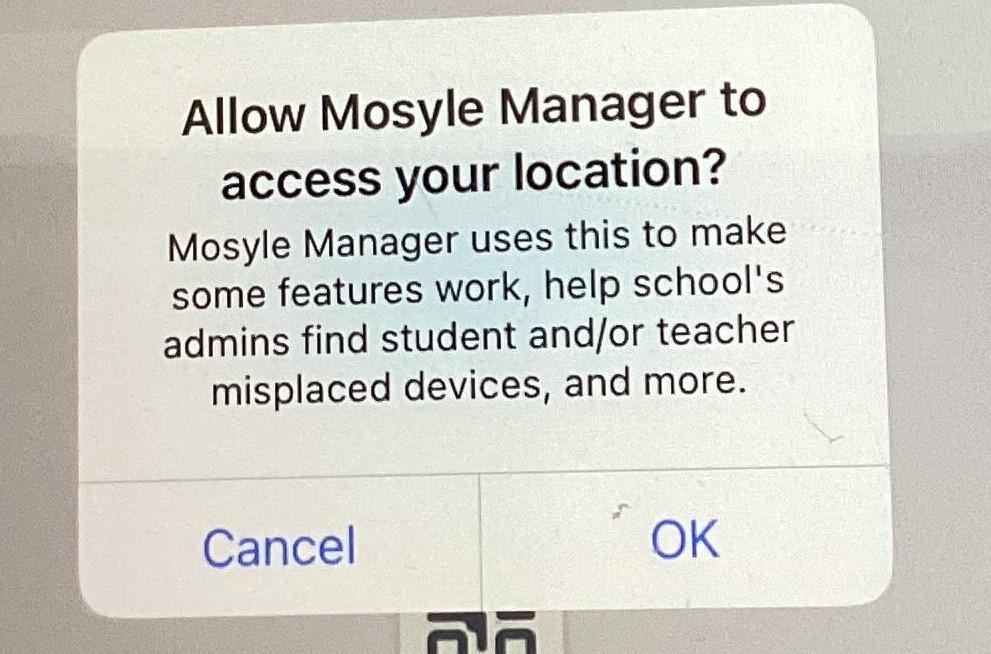
<span style="font-size: 11pt; font-family: Arial,sans-serif; color: #000000; background-color: transparent; font-weight: 400; font-style: normal; font-variant: normal; text-decoration: none; vertical-align: baseline; white-space: pre-wrap;">4. Open Mosyle School app answer ok and allow while using to 3 questions</span>

<span style="font-size: 11pt; font-family: Arial,sans-serif; color: #000000; background-color: transparent; font-weight: 400; font-style: normal; font-variant: normal; text-decoration: none; vertical-align: baseline; white-space: pre-wrap;"> </span><span style="font-size: 11pt; font-family: Arial,sans-serif; color: #000000; background-color: transparent; font-weight: 400; font-style: normal; font-variant: normal; text-decoration: none; vertical-align: baseline; white-space: pre-wrap;"><span style="border: none; display: inline-block; overflow: hidden; width: 219px; height: 241px;">![](https://lh7-rt.googleusercontent.com/docsz/AD_4nXff4trOzrSSblH1KtfGpr7kpd19CgN4njmfcOrAr05fhQXHCHkoz9_fqG4VYQyCozKAFAfu4U-xx_HaIttqkwwSy4G30lmsRh45jtR-jN63CrmhFGAsLlRjioG_IFE9SaLzYJ7Cxg?key=FPwyom-izmNL5EblcqnbRome)</span></span><span style="font-size: 11pt; font-family: Arial,sans-serif; color: #000000; background-color: transparent; font-weight: 400; font-style: normal; font-variant: normal; text-decoration: none; vertical-align: baseline; white-space: pre-wrap;"><span style="border: none; display: inline-block; overflow: hidden; width: 281px; height: 245px;">![](https://lh7-rt.googleusercontent.com/docsz/AD_4nXe9UHB0OGuDPdmsZjNNTmV7t9W0lq5Uuz_wW93dA1wSz3bJHWrBe45U17PIXe40_esqYdiVkNh3P4t9WTEVmBFpmrOmD6YqJoCGnf7SVhEHVvE1FNBYvBxKSROV14M0FhNNNK9bsg?key=FPwyom-izmNL5EblcqnbRome)</span></span>

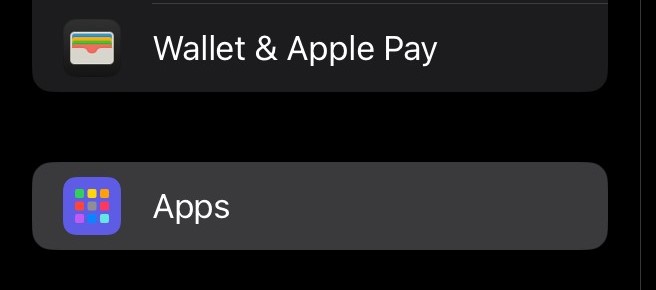
<span style="font-size: 11pt; font-family: Arial,sans-serif; color: #000000; background-color: transparent; font-weight: 400; font-style: normal; font-variant: normal; text-decoration: none; vertical-align: baseline; white-space: pre-wrap;">5. Open Settings- Go to the bottom of the list and find apps.</span>

<span style="font-size: 11pt; font-family: Arial,sans-serif; color: #000000; background-color: transparent; font-weight: 400; font-style: normal; font-variant: normal; text-decoration: none; vertical-align: baseline; white-space: pre-wrap;"><span style="border: none; display: inline-block; overflow: hidden; width: 624px; height: 276px;">![](https://lh7-rt.googleusercontent.com/docsz/AD_4nXc75N80JXcwYxfQ_4KQfs9oa6hj4onCnPkv7-EdOKnZ187bx56d0uRM4ZXzER9bixWOAJP3MeofPtQGAXmTrfjdsJcZh6Nr6fv3I192yo2wt9Au4GwzQIlpTKztcUbt4dcqrC_Gdw?key=FPwyom-izmNL5EblcqnbRome)</span></span>

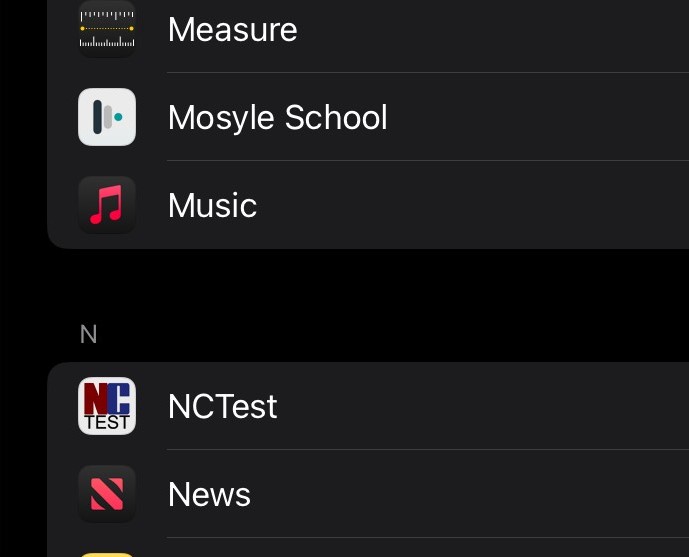
<span style="font-size: 11pt; font-family: Arial,sans-serif; color: #000000; background-color: transparent; font-weight: 400; font-style: normal; font-variant: normal; text-decoration: none; vertical-align: baseline; white-space: pre-wrap;">6. Find Mosyle (will be in alphabetical order)</span>

<span style="font-size: 11pt; font-family: Arial,sans-serif; color: #000000; background-color: transparent; font-weight: 400; font-style: normal; font-variant: normal; text-decoration: none; vertical-align: baseline; white-space: pre-wrap;"><span style="border: none; display: inline-block; overflow: hidden; width: 516px; height: 416px;">![](https://lh7-rt.googleusercontent.com/docsz/AD_4nXcI8xNzn7Bln19JVDZ4ug1tDUyTuSl7d80J8aGQizjaiQp1gm4zfKP6AHGrGrT5hjXySSA0DRjb9WB4L8vTGy3GWfcYKMKvvF3tFG-TuiUQzxkU-YE8dWQ86mrjseCqMdE6X69V?key=FPwyom-izmNL5EblcqnbRome)</span></span>

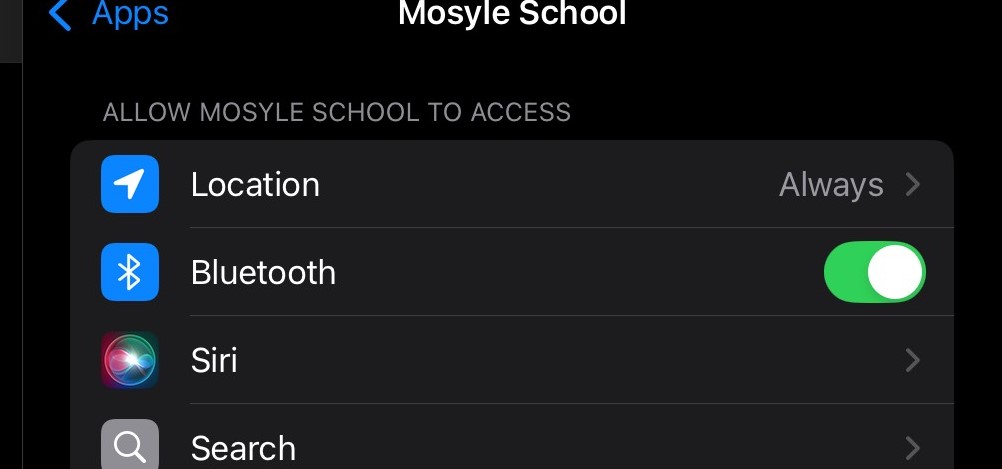
<span style="font-size: 11pt; font-family: Arial,sans-serif; color: #000000; background-color: transparent; font-weight: 400; font-style: normal; font-variant: normal; text-decoration: none; vertical-align: baseline; white-space: pre-wrap;">7.Click Location and change to Always</span>

<span style="font-size: 11pt; font-family: Arial,sans-serif; color: #000000; background-color: transparent; font-weight: 400; font-style: normal; font-variant: normal; text-decoration: none; vertical-align: baseline; white-space: pre-wrap;"><span style="border: none; display: inline-block; overflow: hidden; width: 505px; height: 236px;">![](https://lh7-rt.googleusercontent.com/docsz/AD_4nXegM8NZC1bhBpgqo6yxVeYsojYGQak5mwm0NjTKk_Gi_gxJN2_uRIRXZ3hxDARWc0GoFHo14PiUNA3Rhax1hbWr64N3ksaP-wV5q6ywJNvvC6UBxTgvw0EsKs2A0XHZRsUCvqtNwg?key=FPwyom-izmNL5EblcqnbRome)</span></span>

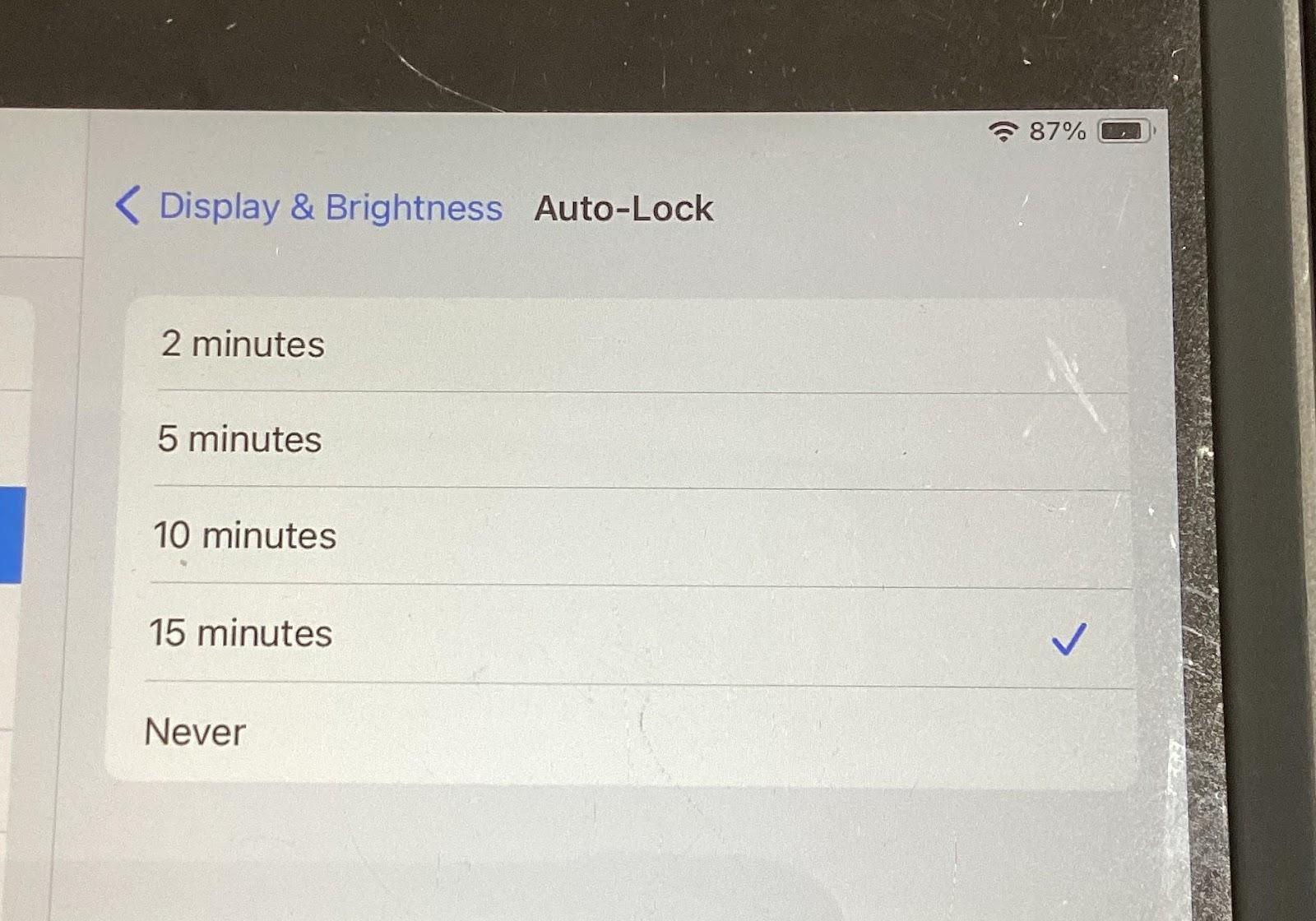
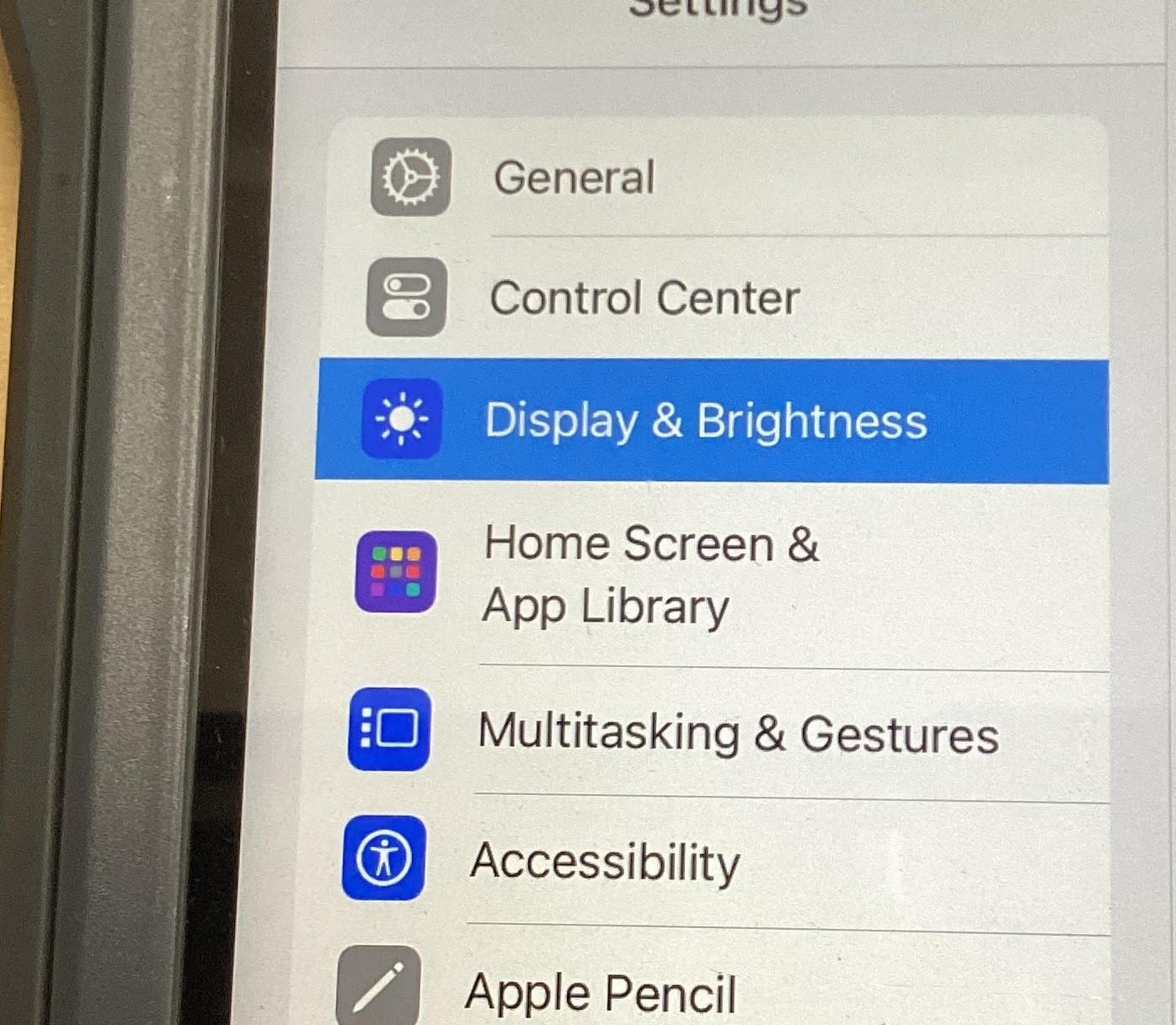
<span style="font-size: 11pt; font-family: Arial,sans-serif; color: #000000; background-color: transparent; font-weight: 400; font-style: normal; font-variant: normal; text-decoration: none; vertical-align: baseline; white-space: pre-wrap;">6. Go back to settings- Display and Brightness- set Auto-Lock to 15 min</span>

<span style="font-size: 11pt; font-family: Arial,sans-serif; color: #000000; background-color: transparent; font-weight: 400; font-style: normal; font-variant: normal; text-decoration: none; vertical-align: baseline; white-space: pre-wrap;"><span style="border: none; display: inline-block; overflow: hidden; width: 279px; height: 244px;">![](https://lh7-rt.googleusercontent.com/docsz/AD_4nXfejsWX81TtkD_cSBVDsLUSLdDq_Igc10dtQbFr4usPurWcd-eELDGkyNzbjAoFkglFhBpudZgpQZdKuZmx1FvbO0t4TLhTJDJLg_rRkIpqxVuVRhRuz3a529sV_KTKimwZtzrUEg?key=FPwyom-izmNL5EblcqnbRome)</span></span><span style="font-size: 11pt; font-family: Arial,sans-serif; color: #000000; background-color: transparent; font-weight: 400; font-style: normal; font-variant: normal; text-decoration: none; vertical-align: baseline; white-space: pre-wrap;"><span style="border: none; display: inline-block; overflow: hidden; width: 283px; height: 241px;">![](https://lh7-rt.googleusercontent.com/docsz/AD_4nXfAaJOVxBr8V4TU6joCJZ8gXeSW4wVzaqRZq5bSkPOLPur5BdbQv8vFMo4x98zfWdsaA1d5Gp7qfK52AflTR-tVXdtdwK7hBvkgZ-tTNEHNuEIEERc7j8YFJrlXY7BCCIcq1i7R?key=FPwyom-izmNL5EblcqnbRome)</span></span>

<span id="bkmrk--7" style="font-weight: normal;"></span>

<span style="font-size: 11pt; font-family: Arial,sans-serif; color: #000000; background-color: transparent; font-weight: 400; font-style: normal; font-variant: normal; text-decoration: none; vertical-align: baseline; white-space: pre-wrap;">7. Go back to Settings- General- Shut Down</span>