# Canvas Tutorials
This Book provides videos and screen captures for how to use and leverage Canvas for student learning.
# Canvas Fast Track Videos
[Click here for the Canvas Fast Track Videos.](https://community.canvaslms.com/docs/DOC-6352)
# Growing With Canvas (A Self-Paced course for teachers)
***[Click here](https://iss.instructure.com/enroll/7ARX66)*** to go through this resource.
# Canvas Updates
***[Click here](https://www.smore.com/q5d2e-the-canvas-of-things)** *to see the most recent updates to canvas, and things that you want to stay in the know about.
# Canvas Log-in
Shows the log-in process for I-SS staff, parents, and students
# Canvas Log-in Steps for I-SS Staff
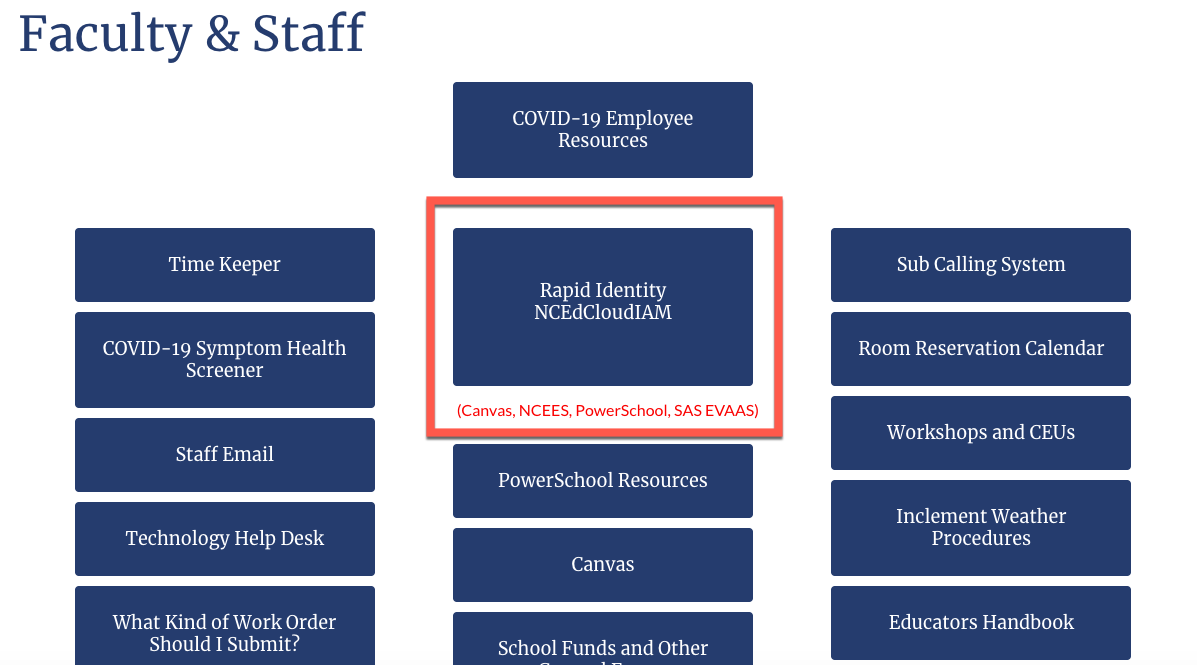
**Step 1:** Go to [https://www.issnc.org/ ](https://www.issnc.org/)and choose Faculty & Staff
**Step 2:** Click on Rapididentity/NCEdCloud
[](https://iss-kb.iss.k12.nc.us/uploads/images/gallery/2020-09/Canvas-Log-in-%7C-Teachers.png)
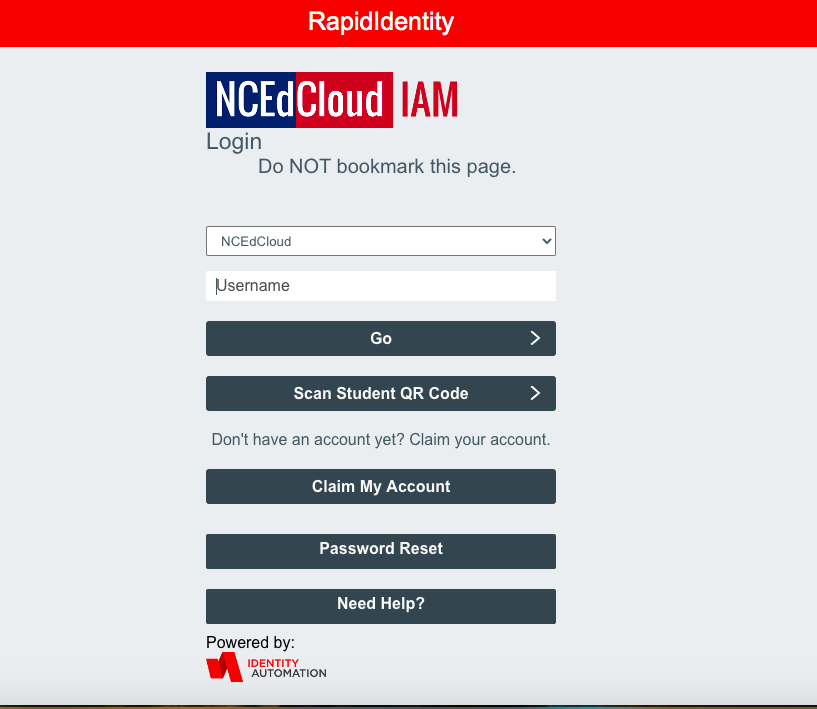
**Step 3:** Insert your Log-in Credentials
[](https://iss-kb.iss.k12.nc.us/uploads/images/gallery/2020-09/Canvas-Log-in-%7C-NCEdCloud.png)
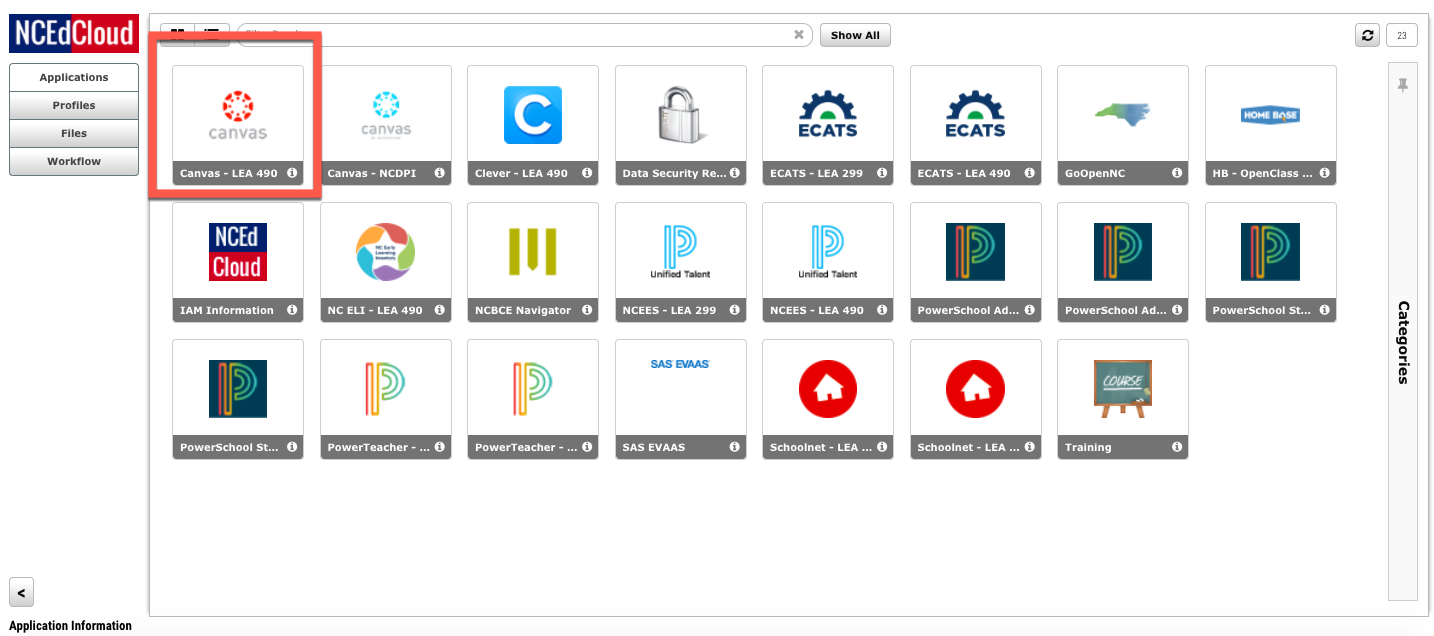
**Step 4:** Click on the Red Canvas icon -- that is Iredell-Statesville Schools' Canvas instance. The Blue icon is NCDPI's instance.
[](https://iss-kb.iss.k12.nc.us/uploads/images/gallery/2020-09/Canvas-Log-in-%7C-Red-Canvas-Icon.png)
# Canvas Log-in Steps for Students
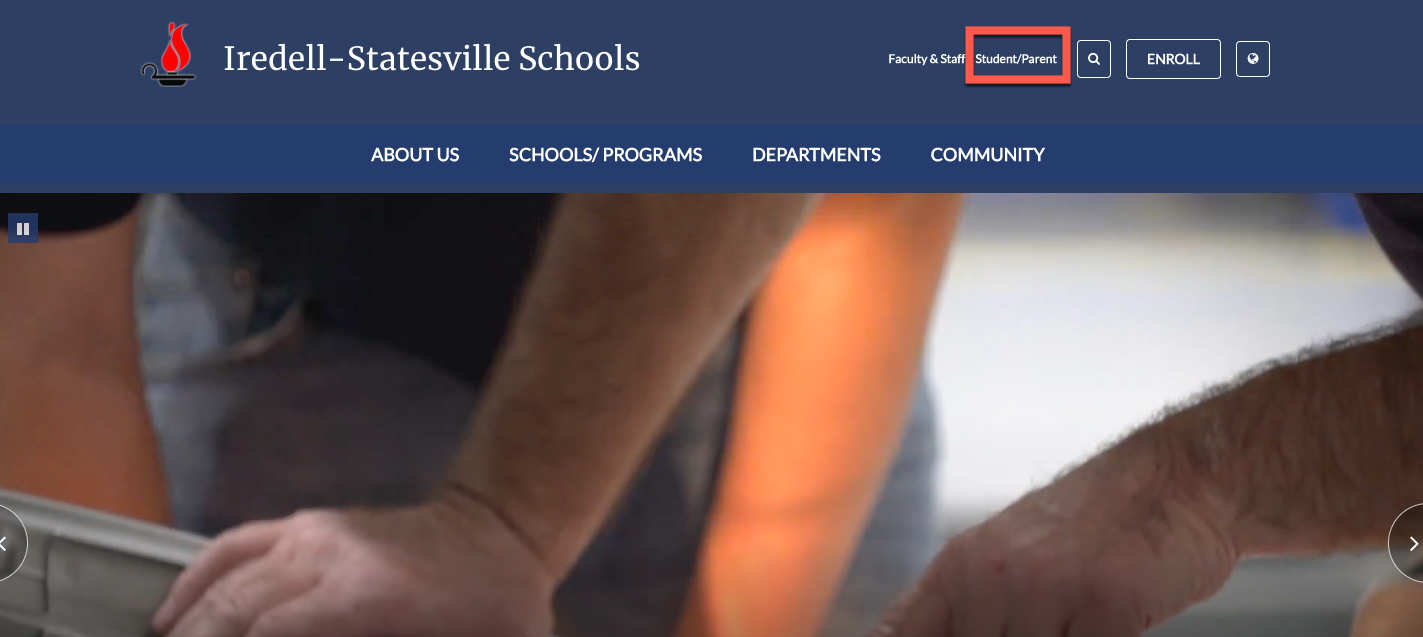
**Step 1:** Go to [https://www.issnc.org/ ](https://www.issnc.org/)and choose Student/Parent
[](https://iss-kb.iss.k12.nc.us/uploads/images/gallery/2020-09/Canvas-Log-in-%7C-Students1.png)
**Step 2:** Click on Student Portal (Last button to the right)
[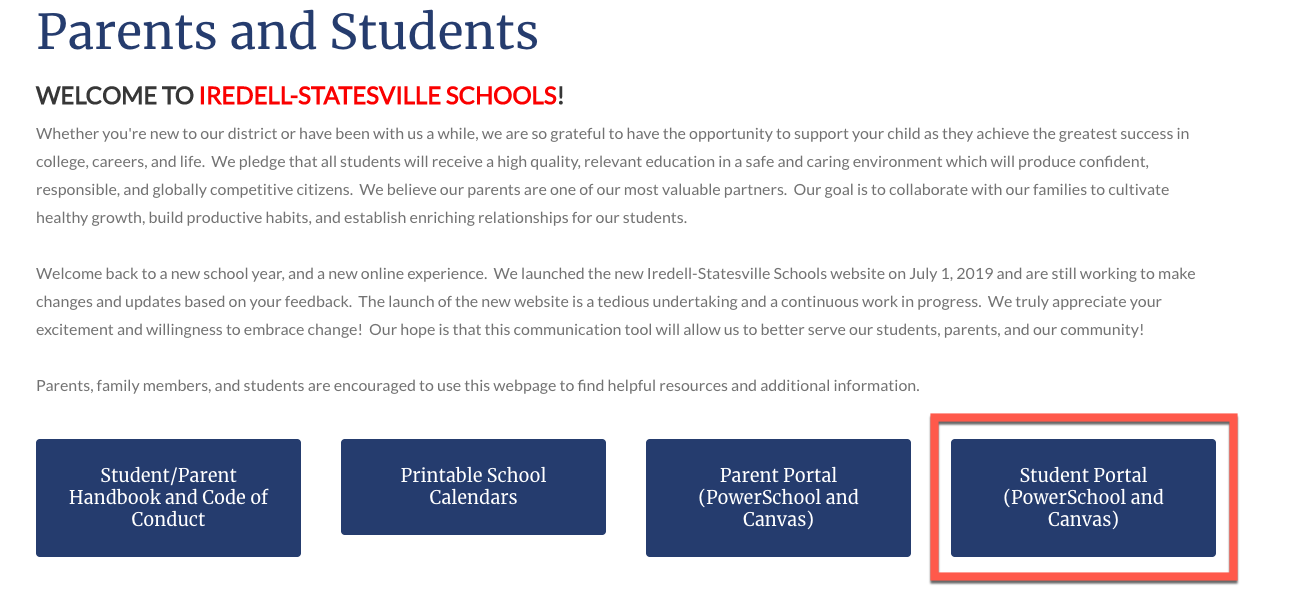](https://iss-kb.iss.k12.nc.us/uploads/images/gallery/2020-09/Canvas-Log-in-%7C-Students2.png)
**Step 3:** Insert your student number and the password that you have created. You can also scan the student QR code provided to you by your teacher.
[](https://iss-kb.iss.k12.nc.us/uploads/images/gallery/2020-09/Canvas-Log-in-%7C-NCEdCloud.png)
**Step 4:** Click on the Red Canvas icon
[](https://iss-kb.iss.k12.nc.us/uploads/images/gallery/2020-09/Canvas-Log-in-%7C-Red-Canvas-Icon.png)
# Canvas Log-in Steps for Parents
**Step 1:** Go to [https://www.issnc.org/ ](https://www.issnc.org/)and choose Student/Parent
[](https://iss-kb.iss.k12.nc.us/uploads/images/gallery/2020-09/Canvas-Log-in-%7C-Students1.png)
**Step 2:** Click on Parent Portal (3rd button)
[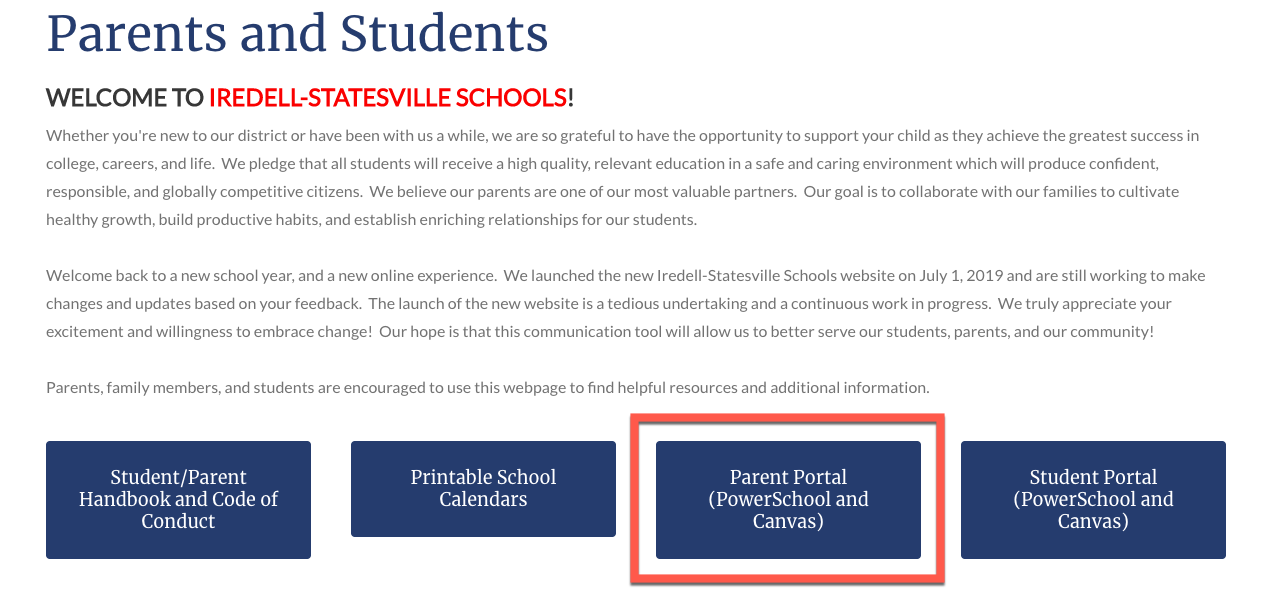](https://iss-kb.iss.k12.nc.us/uploads/images/gallery/2020-09/Canvas-Log-in-%7C-Parent-Portal.png)
**Step 3:** Click on the Canvas Parent Portal Log-in link
[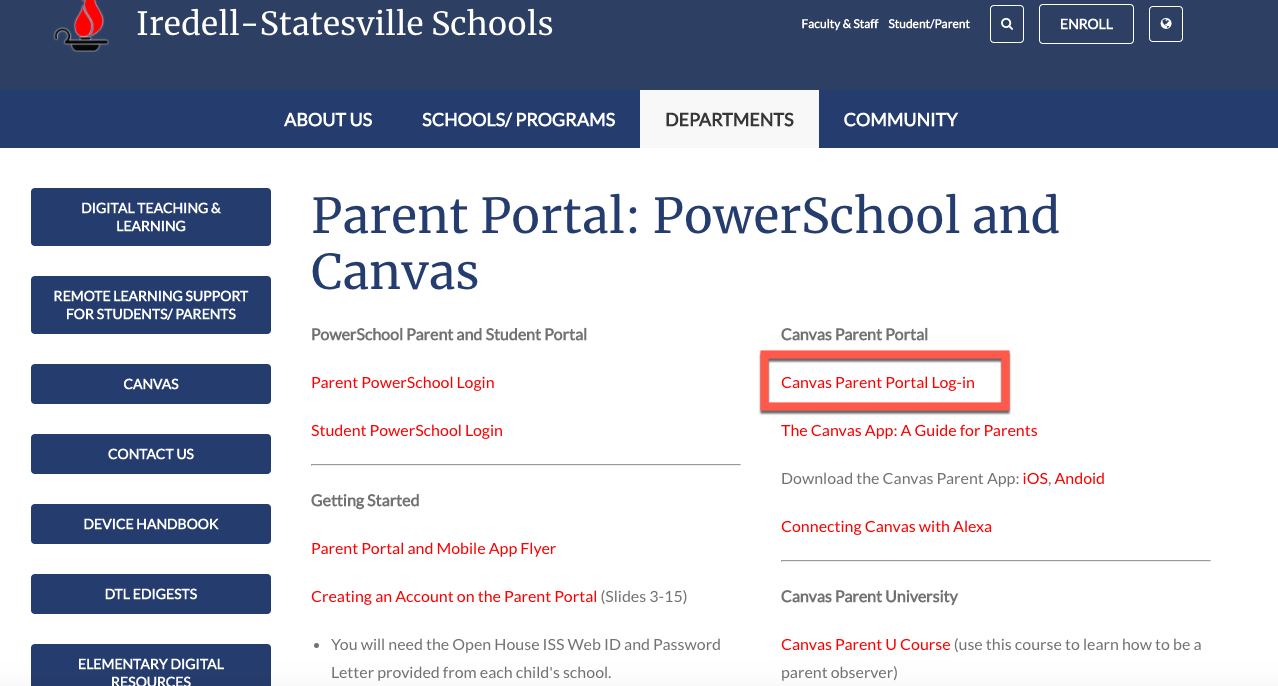](https://iss-kb.iss.k12.nc.us/uploads/images/gallery/2020-09/Canvas-Log-in-%7C-For-Parents-Log-in.png)
**Step 4:** Sign-in with your email and password that you created when you set up your account. The direct URL is [https://iss.instructure.com/login/canvas](https://iss.instructure.com/login/canvas). You can bookmark this link for easy access.
[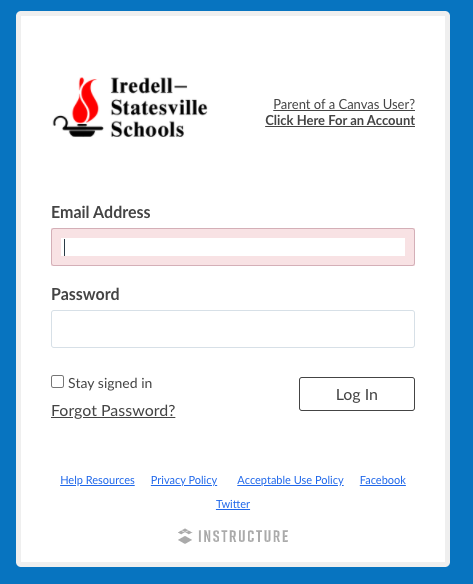](https://iss-kb.iss.k12.nc.us/uploads/images/gallery/2020-09/Canvas-Log-in-%7C-Parent-Portal-Email.png)