How to Install Avaya Cloud Office on Mac
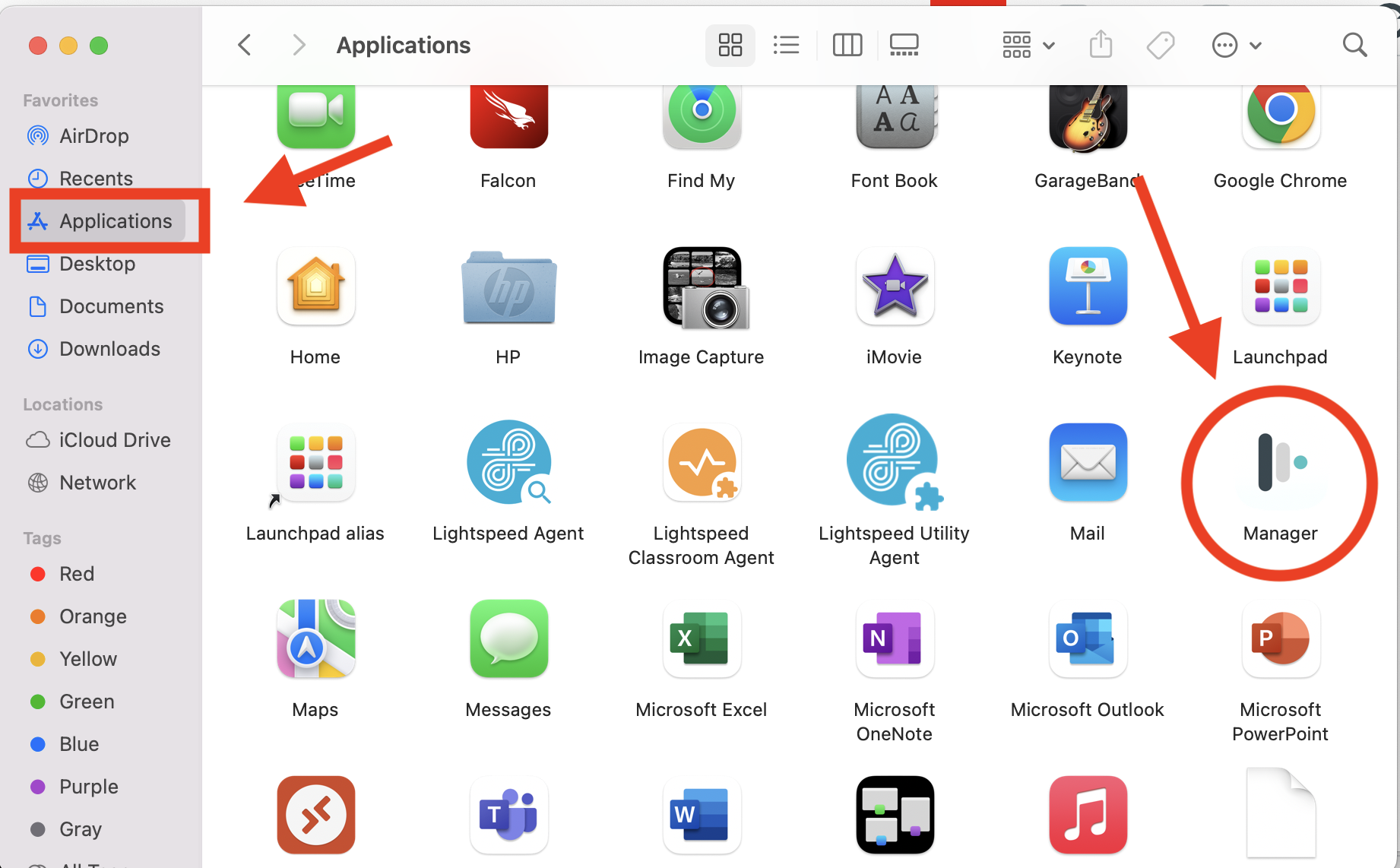
- Launch Mosyle Manager by going to Finder, and then the Applications folder.

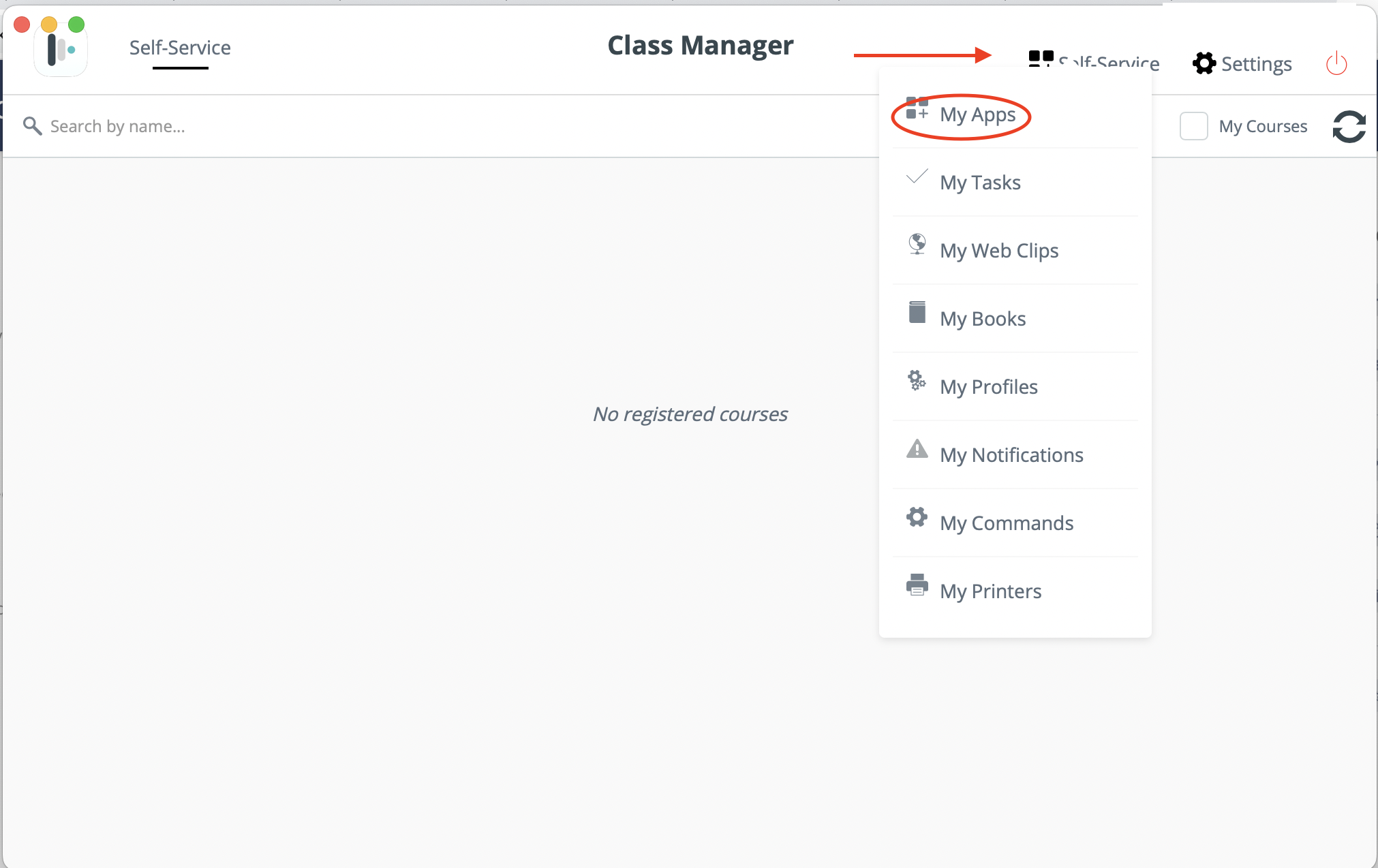
- Go to Self-Service, and then My Apps

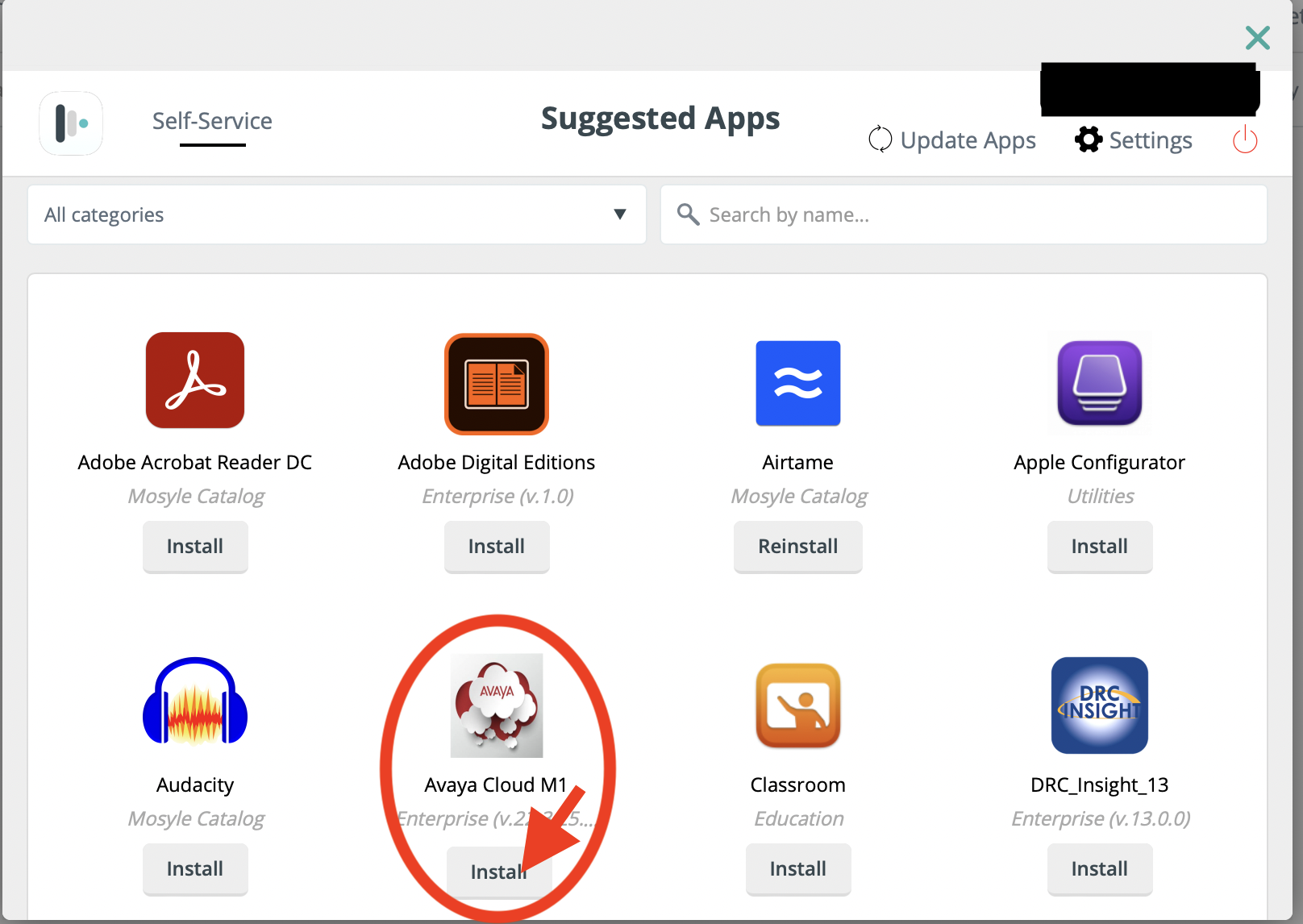
- Find the Application called Avaya Cloud M1 and click Install.

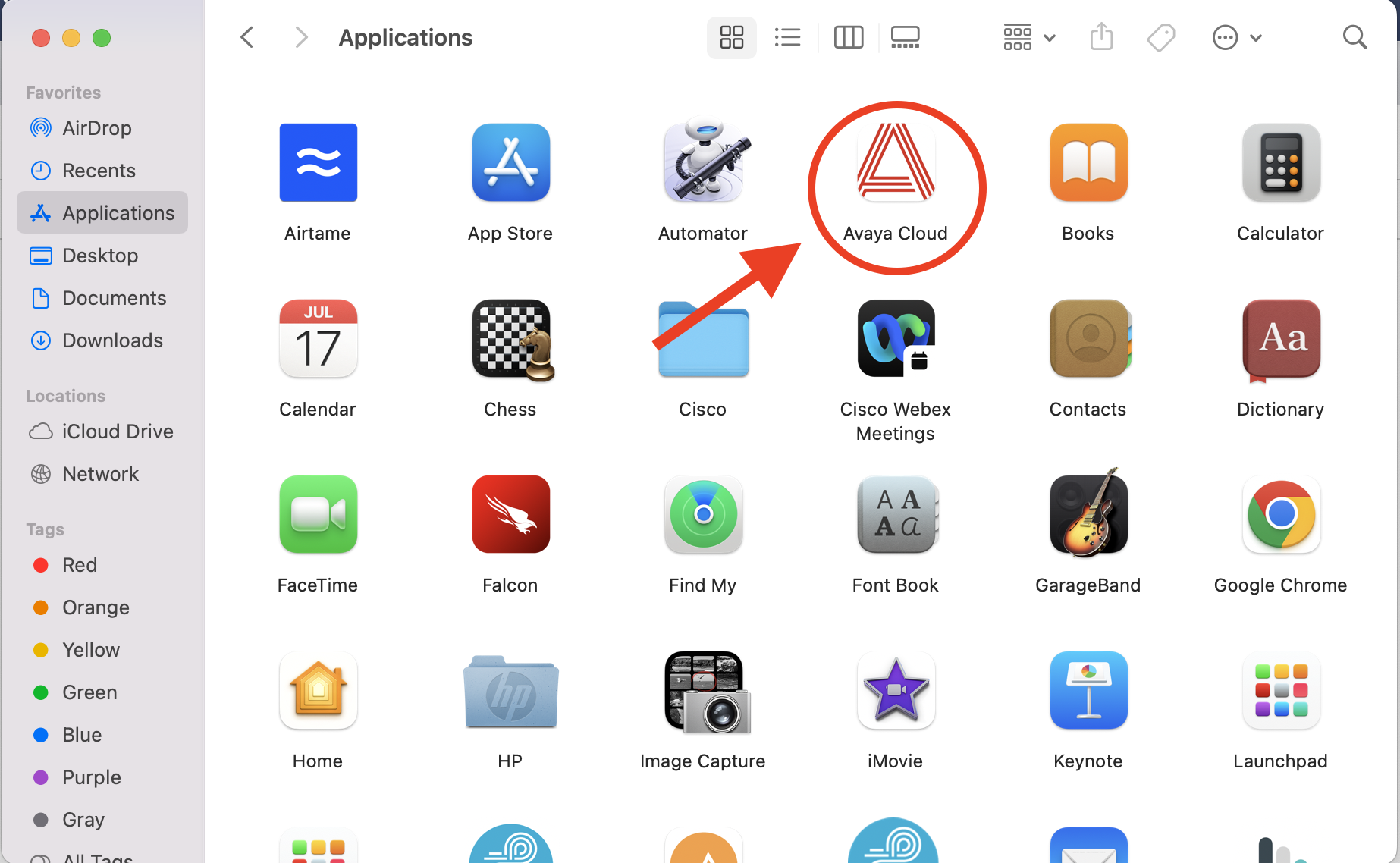
- Now you should be able to go back into Finder, and go to Applications, and Launch Avaya Cloud