How to Remove ISS Network Certificate from iPhone
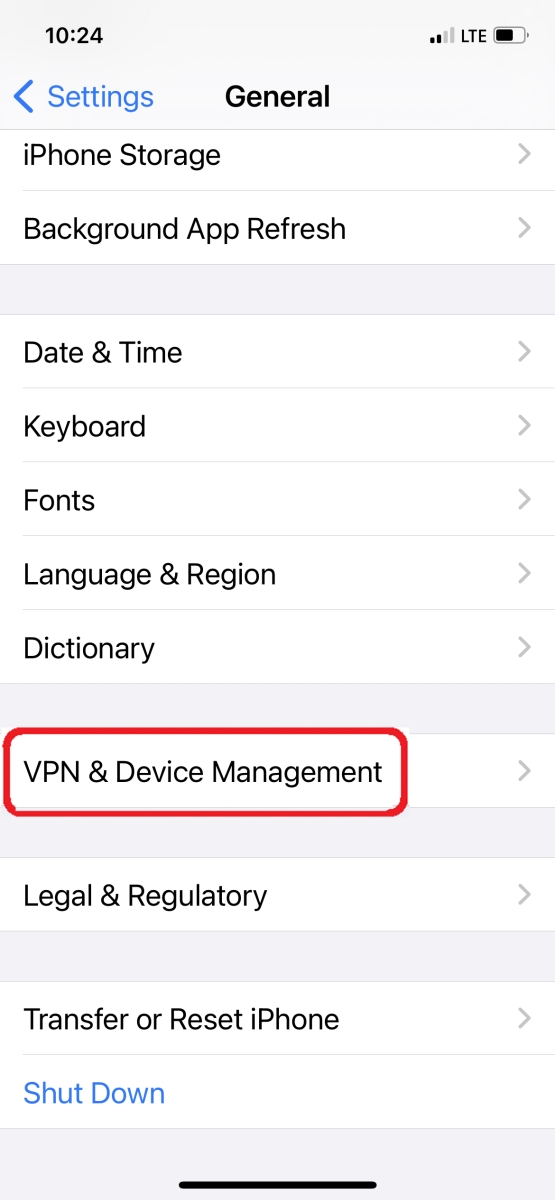
| Step 1: Navigate to Settings > General > Scroll down to VPN & Device Management |
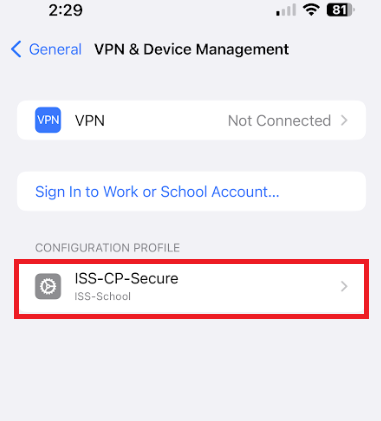
Step 2 : Select Configuration Profile ISS-CP-Secure and then click Remove |
|
|
|
| Step 1: Navigate to Settings > General > Scroll down to VPN & Device Management |
Step 2 : Select Configuration Profile ISS-CP-Secure and then click Remove |
|
|
|